Azure Cloud Case Study ยท 2026

Building TechNova
from the Ground Up

A screenshot-evidenced Azure infrastructure case study covering governance, hub-and-spoke networking, private VM access, load balancing, Key Vault, and backup configuration.

5
Phases
16+
Azure Services
2
Days to Build
$40
Estimated Cost
The Story

A company needed a cloud.
I built it.

TechNova Inc. is a growing Canadian tech startup. They've outgrown their on-premise servers and need to move to the cloud โ€” but they need it done right. Secure. Scalable. Cost-efficient. Resilient enough to survive failures without going offline.

For this case study, I worked from a blank Azure subscription and a business-style scenario: design and deploy a secure, segmented, cost-aware Azure infrastructure foundation. The goal was to show the planning and implementation thinking expected from an Azure or cloud administrator.

The build moves from governance to networking, compute, access, load balancing, and backup evidence. Every phase is tied to Azure Portal screenshots so the project can be reviewed without relying only on claims. This is that story.

The Objective

Three goals.
One infrastructure.

๐Ÿ”

Security First

Deploy workload VMs without direct public exposure. Use Bastion for management access, NSGs for subnet control, and RBAC review for resource-scope access.

โšก

Always Available

Reduce single-VM dependency with a Load Balancer, backend pool, health probe, Recovery Services Vault, and backup policy evidence.

๐Ÿ’ฐ

Cost Conscious

Build a cost-aware lab environment with budget tracking, tagging, lab-sized VM choices, and cleanup planning from day one.
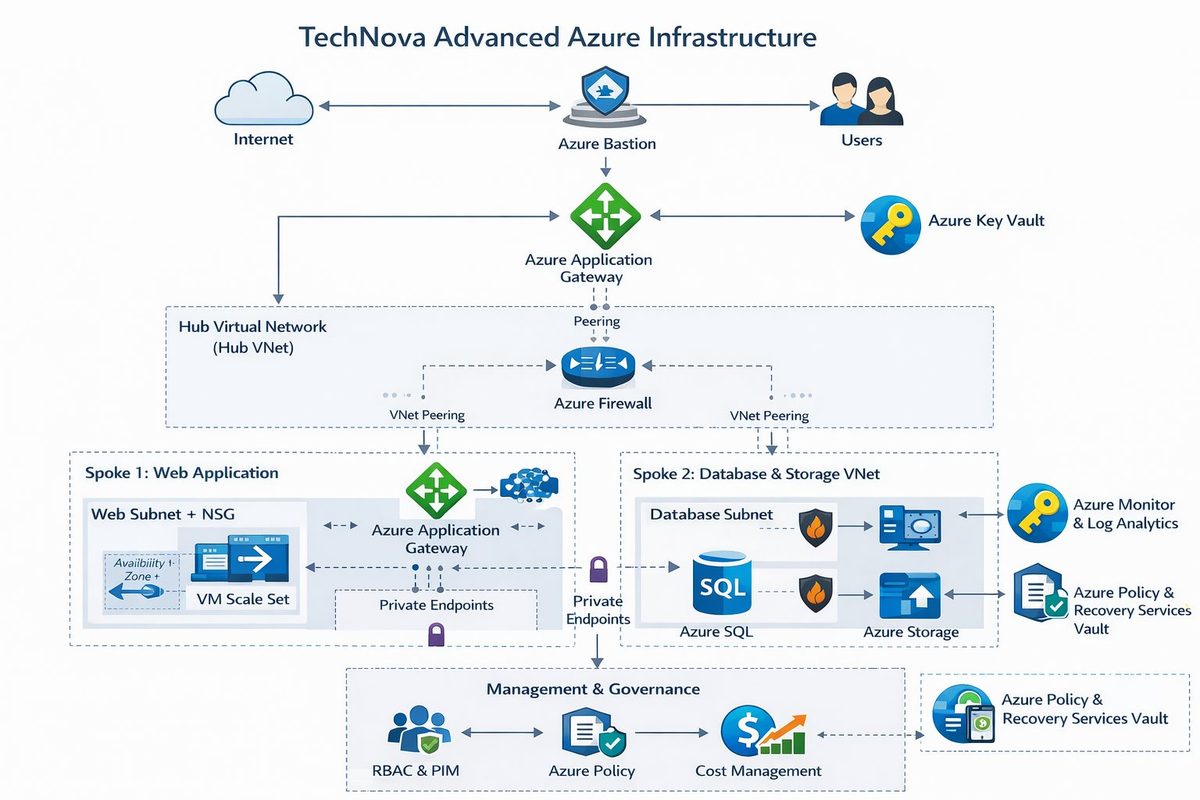
TechNova Advanced Azure Infrastructure Architecture Diagram
Reference target-state architecture โ€” implemented evidence is scoped in the phases below
The diagram includes mature landing-zone services such as Azure Firewall, Application Gateway, Private Endpoints, Azure SQL, Azure Policy, PIM, and monitoring. Those are reference architecture items, not claimed as implemented in this repository.
The Build

Five phases.
Built in order. Built with intent.

01
Foundation

Resource Governance

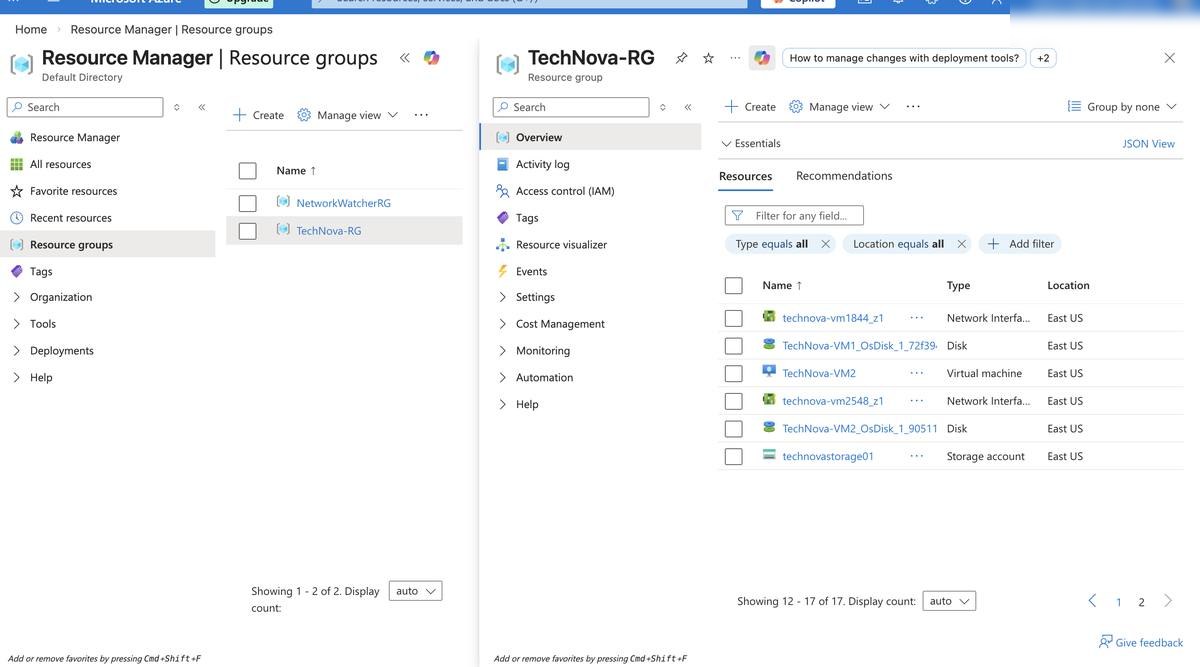
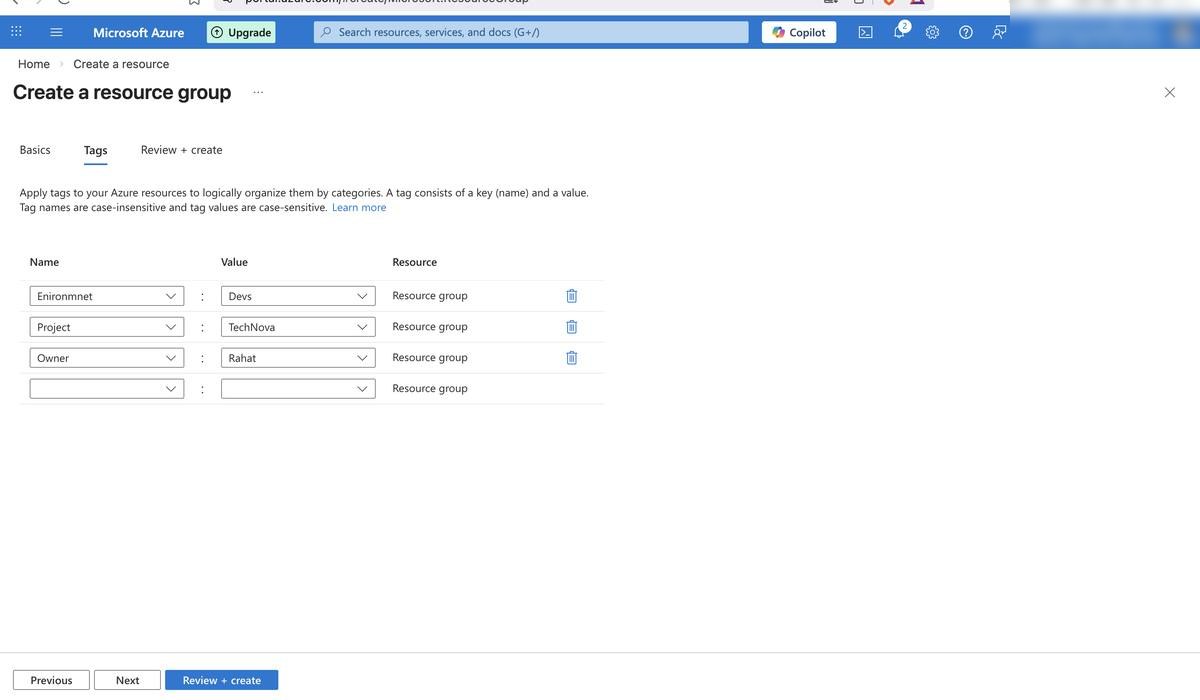
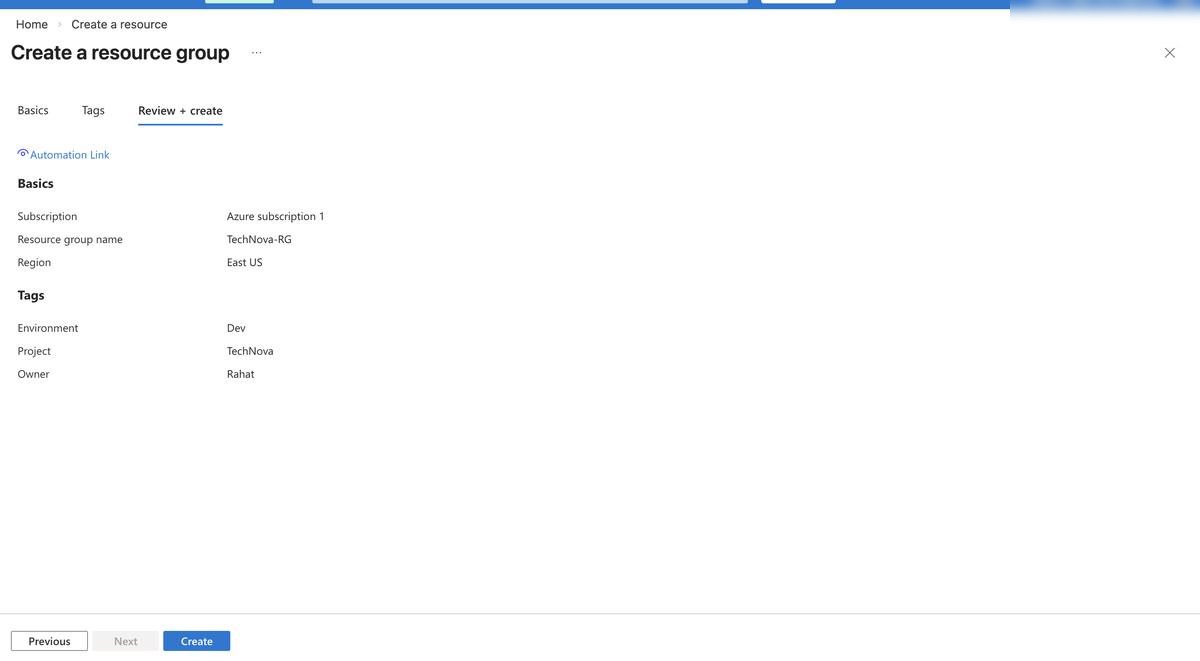
Before deploying a single resource, the house needed a structure. A dedicated Resource Group was created with consistent naming conventions and tags โ€” Environment, Project, Owner โ€” so every resource is traceable, billable, and manageable from day one.

TechNova-RG Resource Tagging Budget Alert ($150) Canada East Region
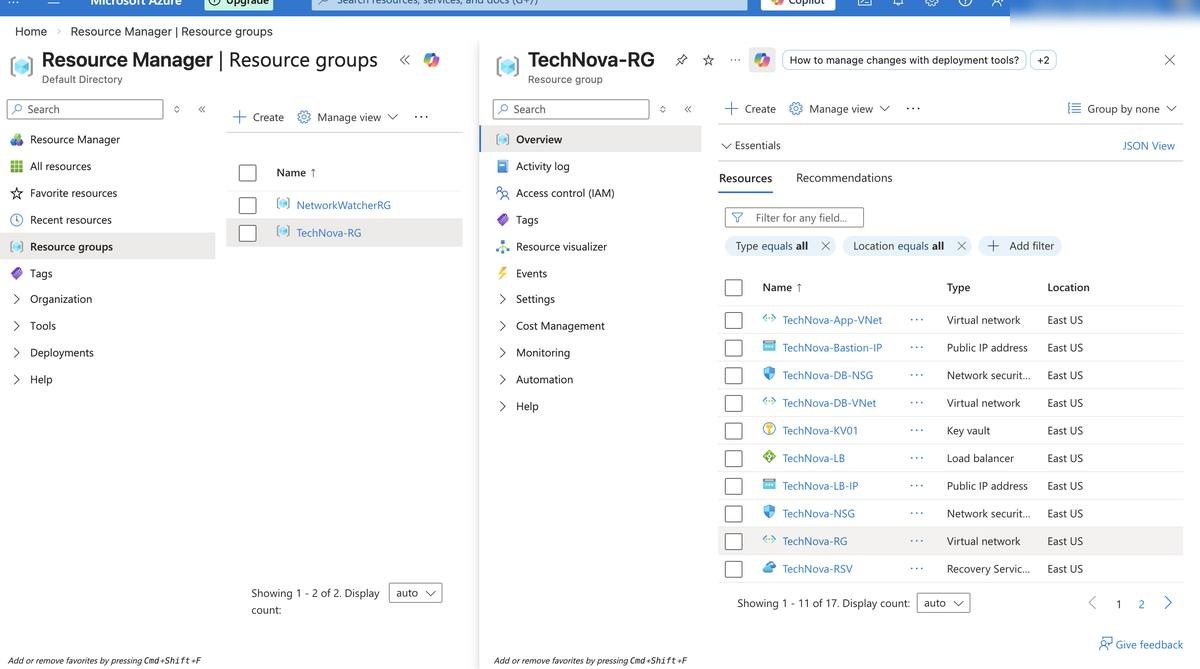
TechNova-RG โ€” all resources overview in Azure Portal
Resource Group โ€” page 2 showing full resource list
Resource tags applied โ€” Environment, Project, Owner
Resource Group review and create confirmation
02
Networking

Hub-and-Spoke Network Architecture

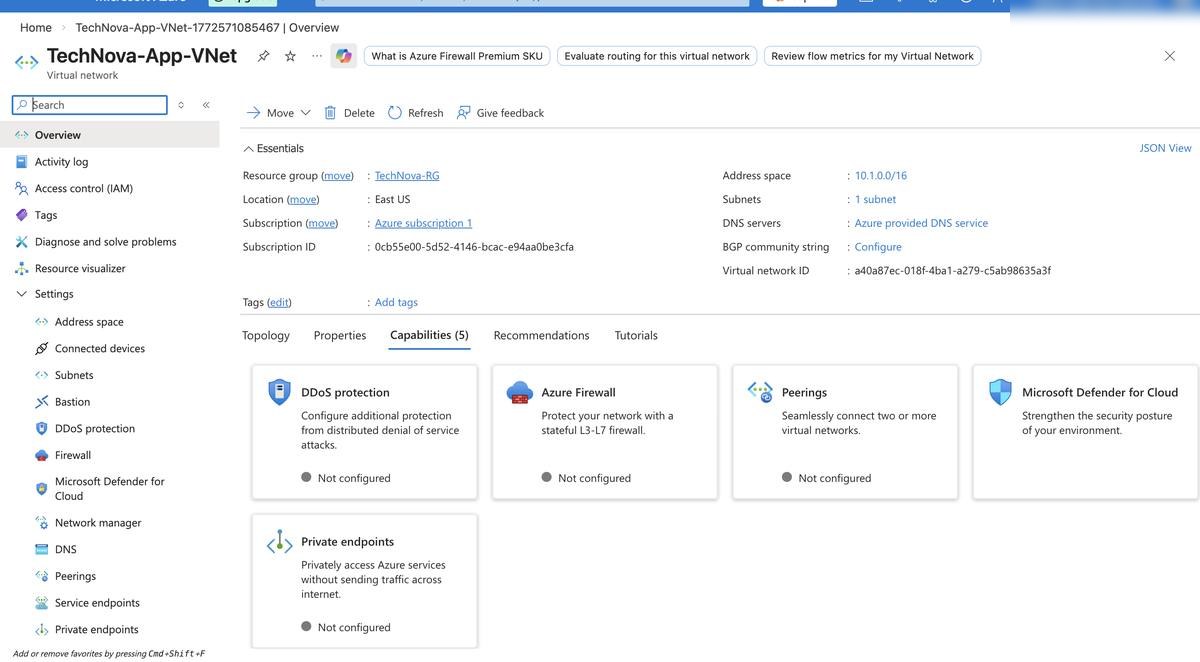
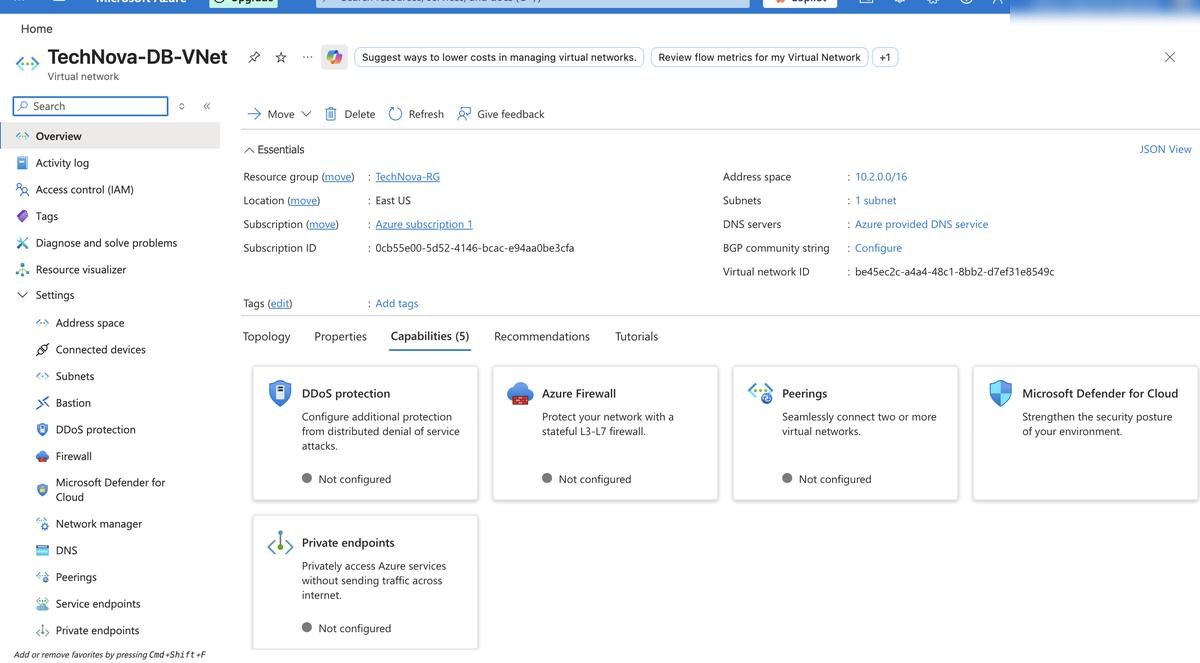
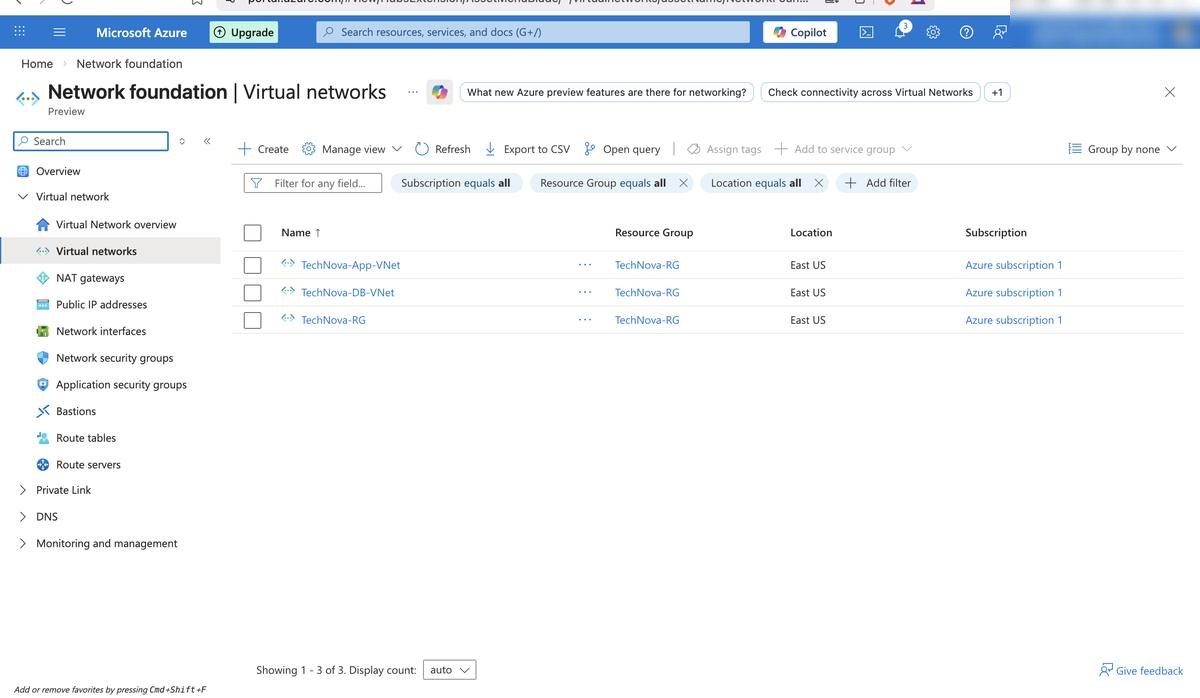
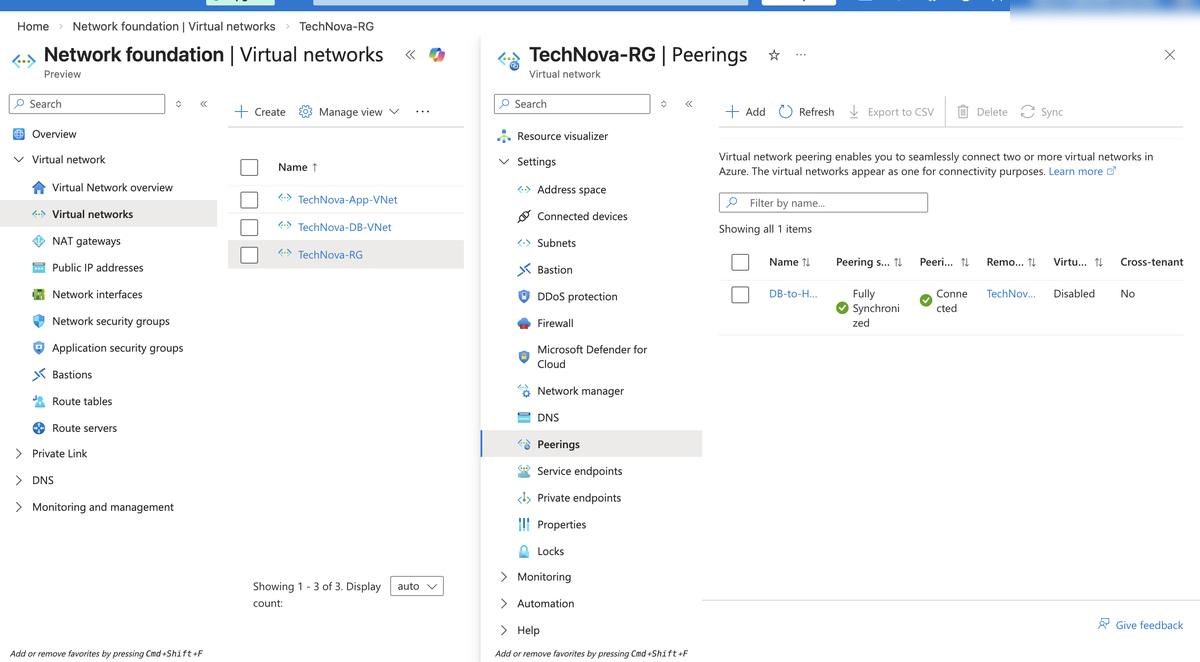
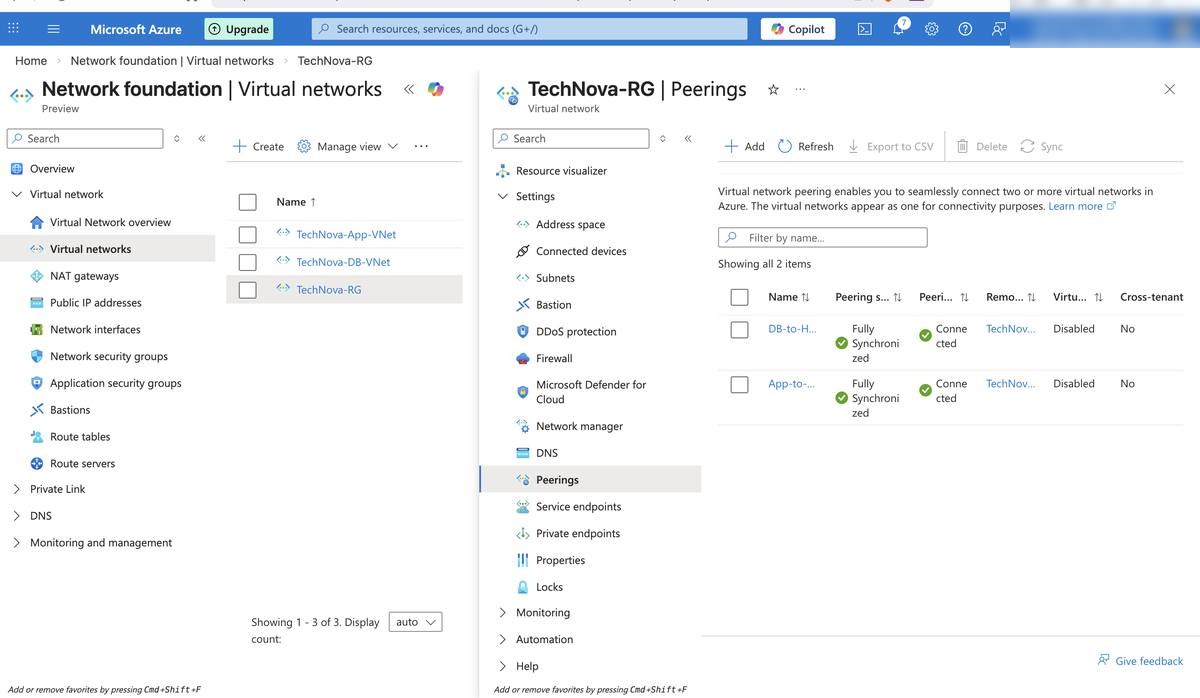
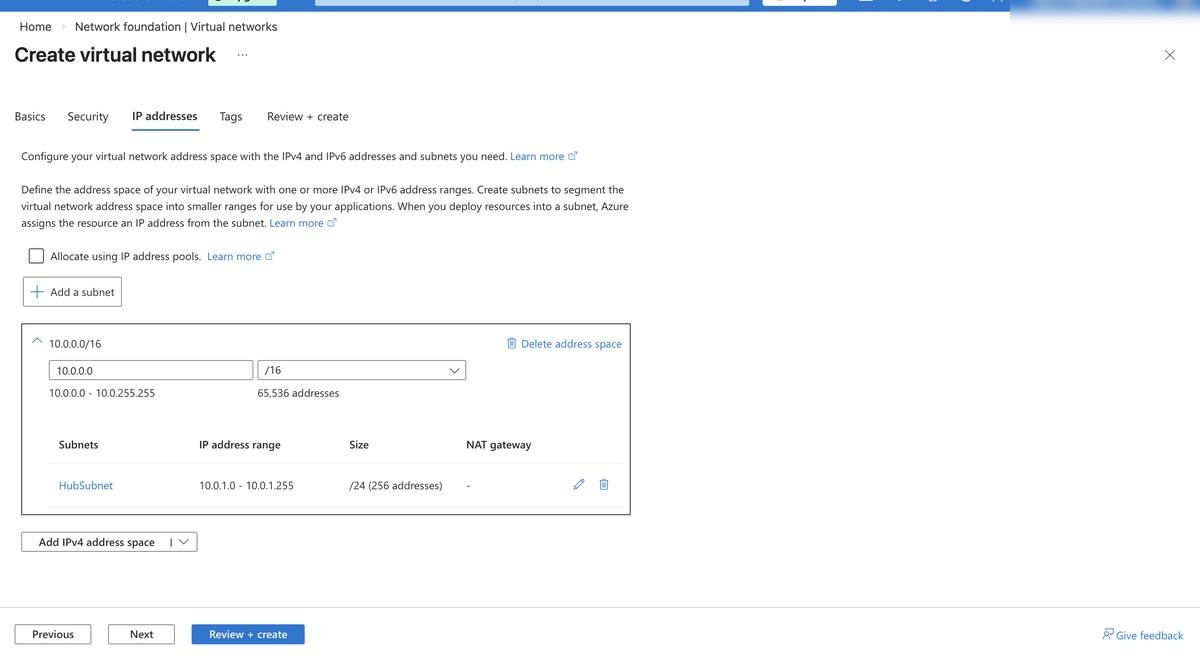
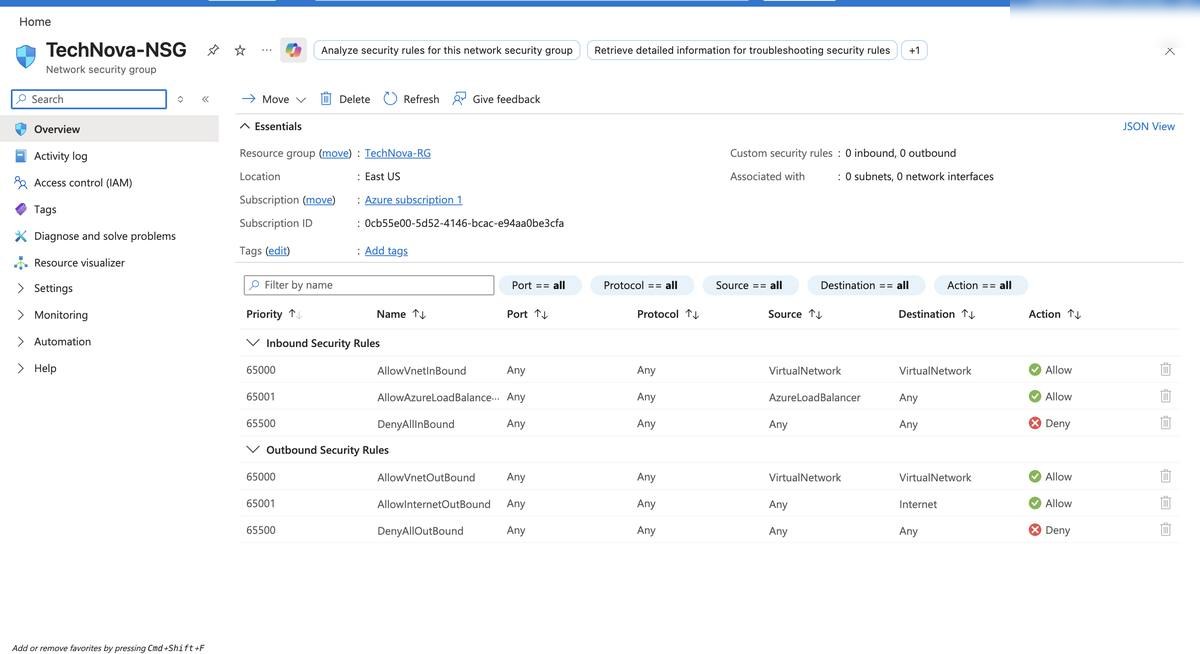
Three Virtual Networks were designed and deployed using the industry-standard hub-and-spoke pattern. The Hub VNet handles management traffic. Two Spoke VNets separate application and database workloads. VNet Peering connects them. NSGs lock down every subnet.

Hub VNet (10.0.0.0/16) App Spoke VNet DB Spoke VNet VNet Peering NSG Rules
App VNet โ€” address space and subnet configuration
App VNet โ€” subnet details and peering settings
DB VNet โ€” isolated database network configuration
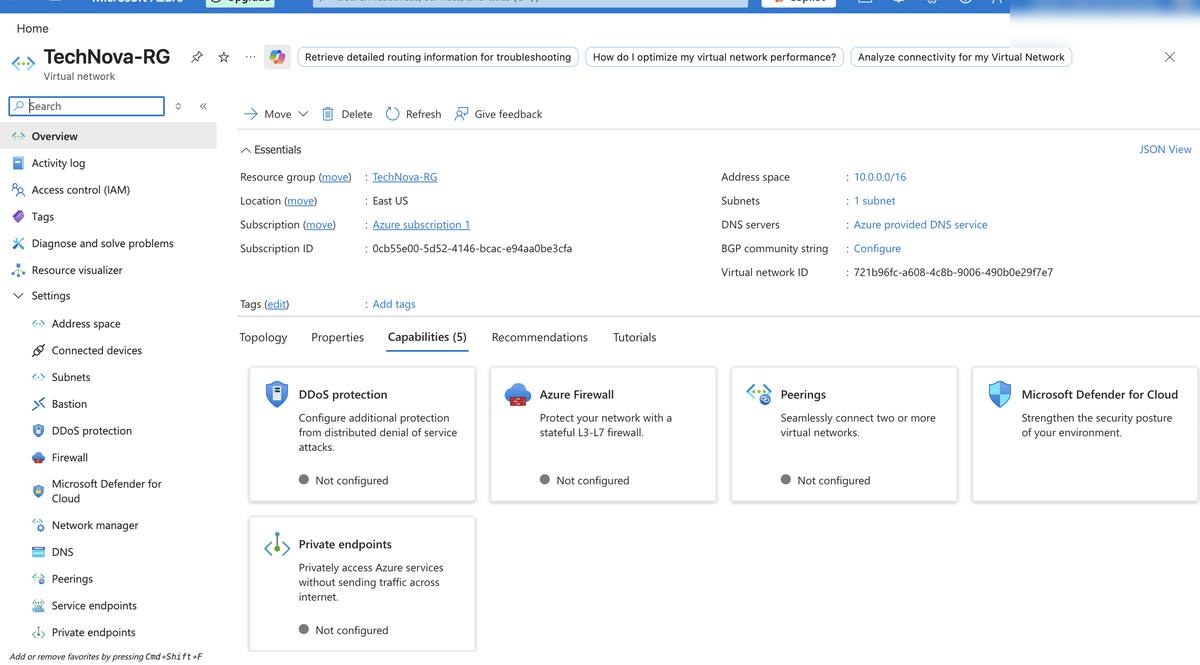
All three VNets deployed โ€” Hub, App, and DB
VNet Peering configuration between Hub and spokes
VNet Peerings confirmed โ€” Connected status verified
IP addressing and subnet configuration details
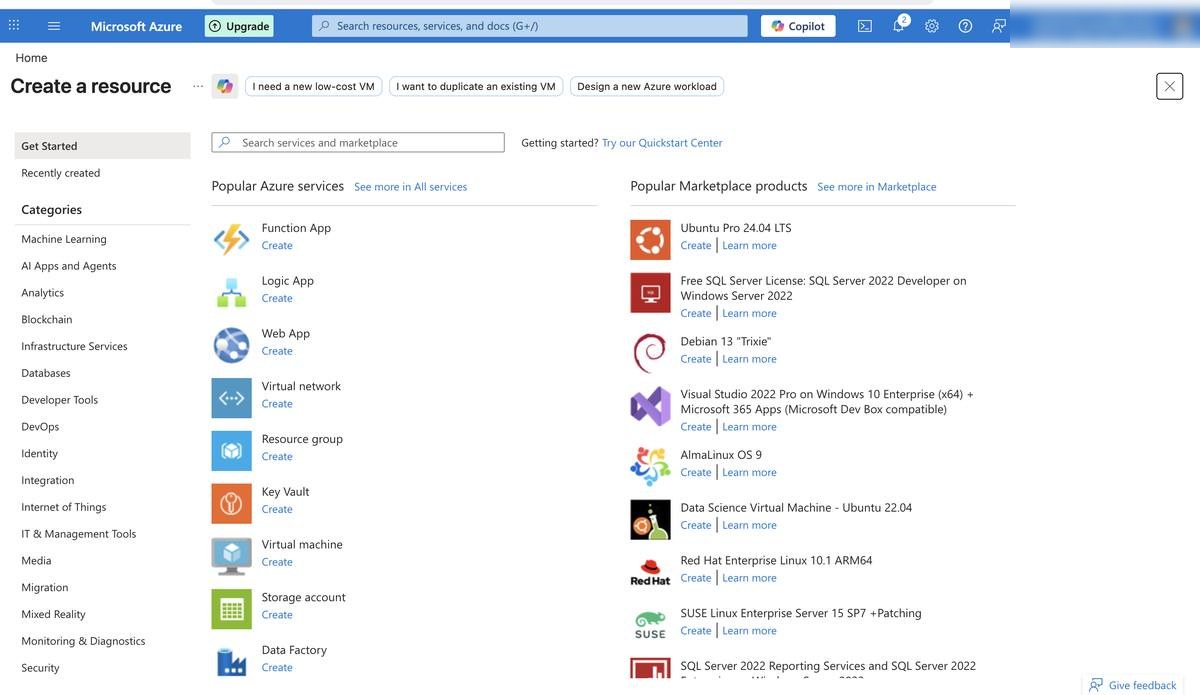
Azure Marketplace โ€” resource creation workflow
03
Security

Compute & Security Hardening

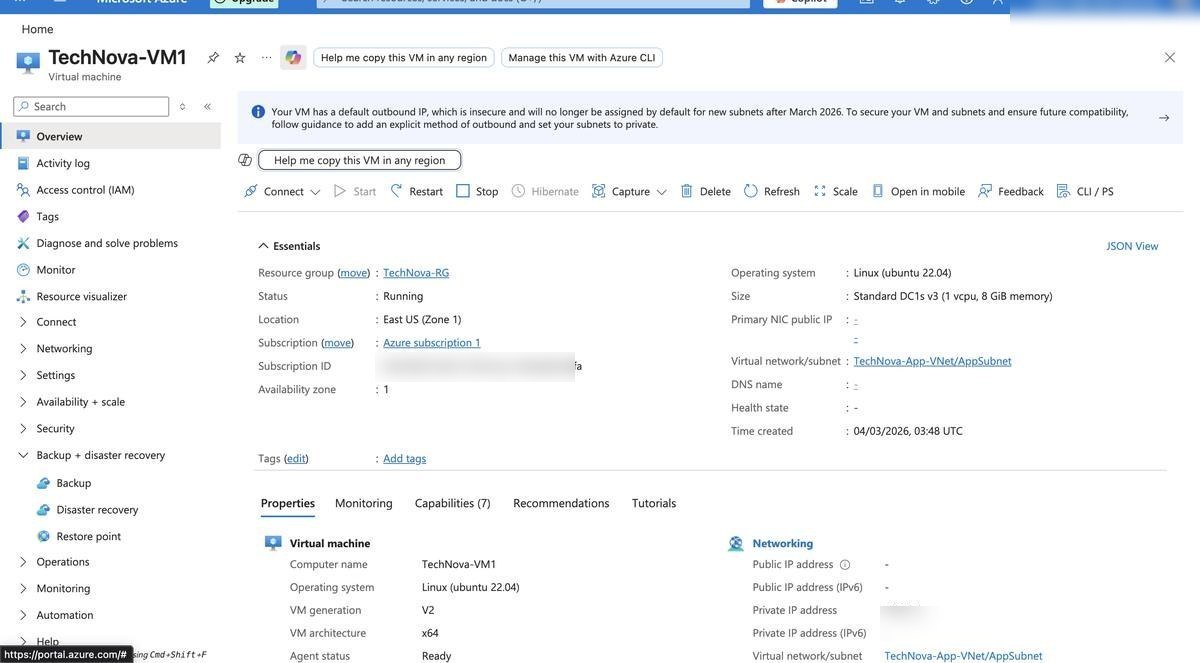
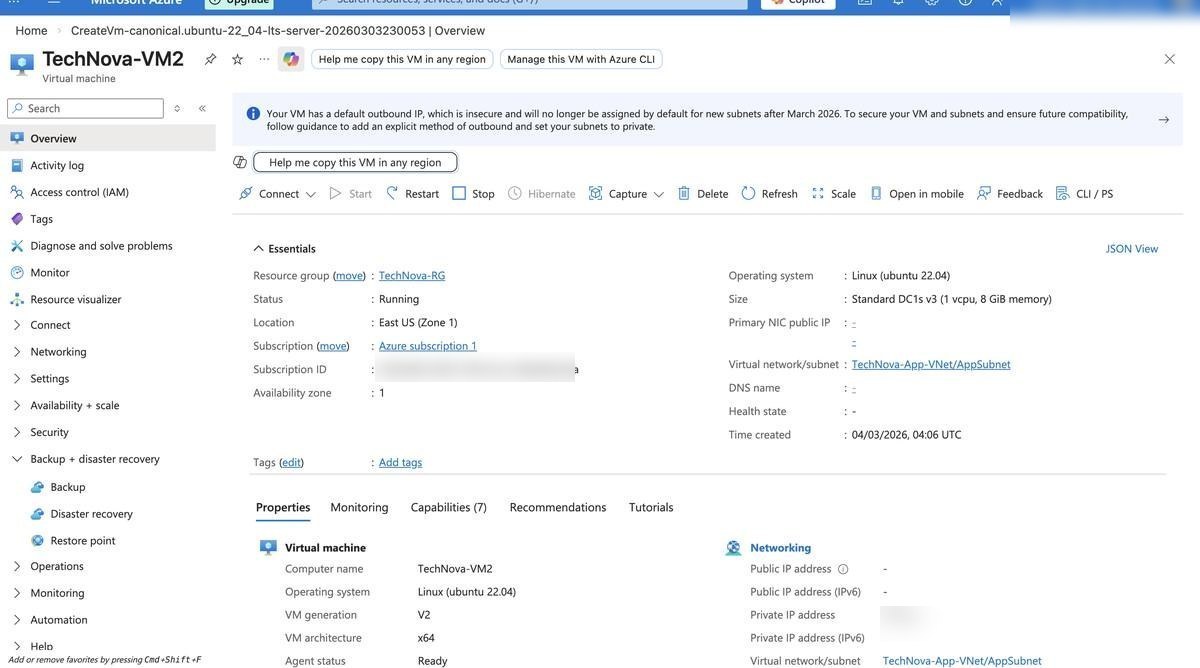
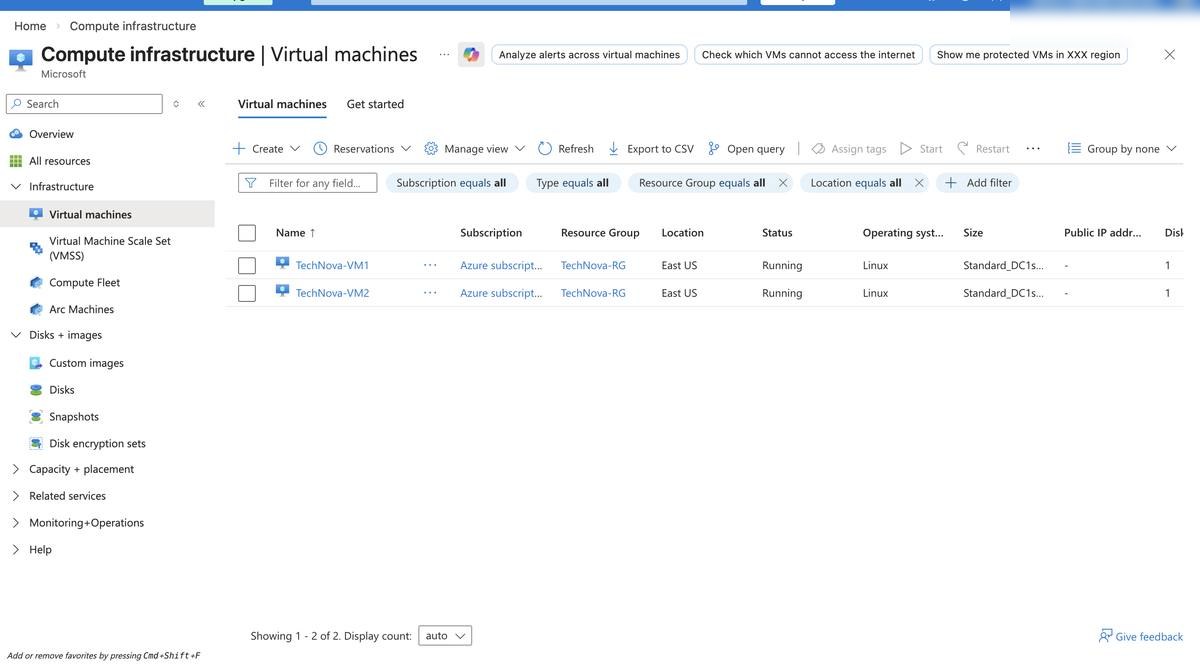
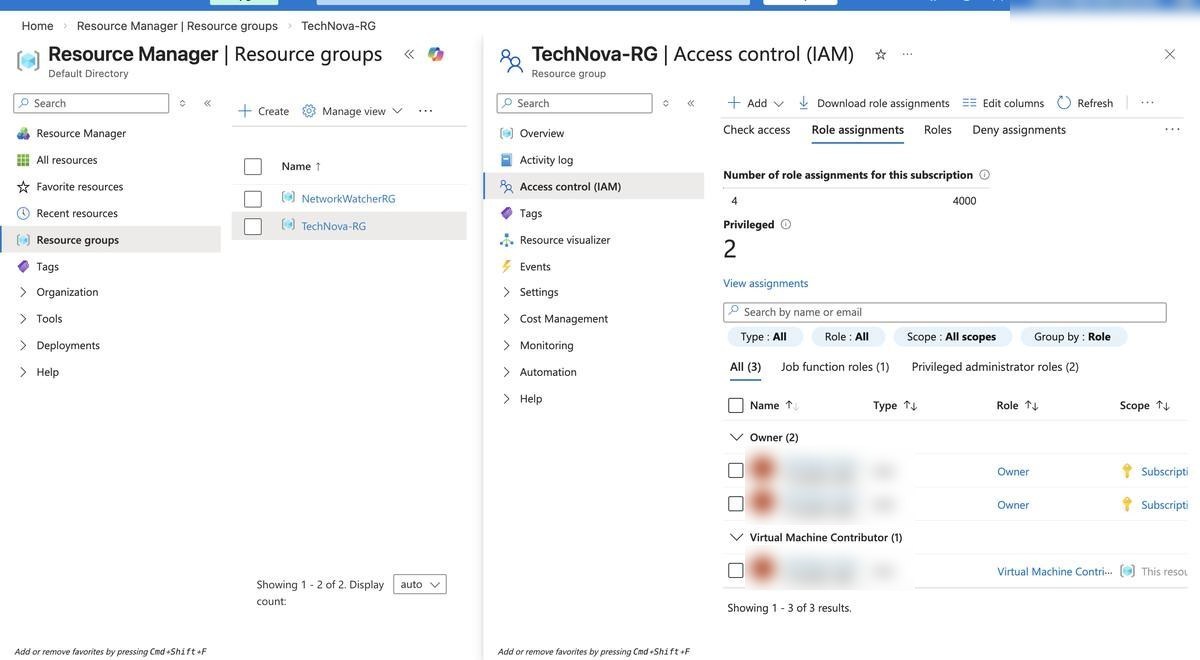
Two Linux VMs were deployed without public IPs on the VM NICs. Azure Bastion provides a secure browser-based management path. RBAC assignments were reviewed at resource scope, and Microsoft Defender for Cloud was included for security posture visibility.

2x Linux VMs Azure Bastion RBAC Roles Defender for Cloud No Public IPs
TechNova-VM1 โ€” overview and configuration details
TechNova-VM2 โ€” overview and configuration details
VM2 successfully deployed and running
RBAC โ€” role assignments on Resource Group
RBAC โ€” role assignments reviewed on Resource Group
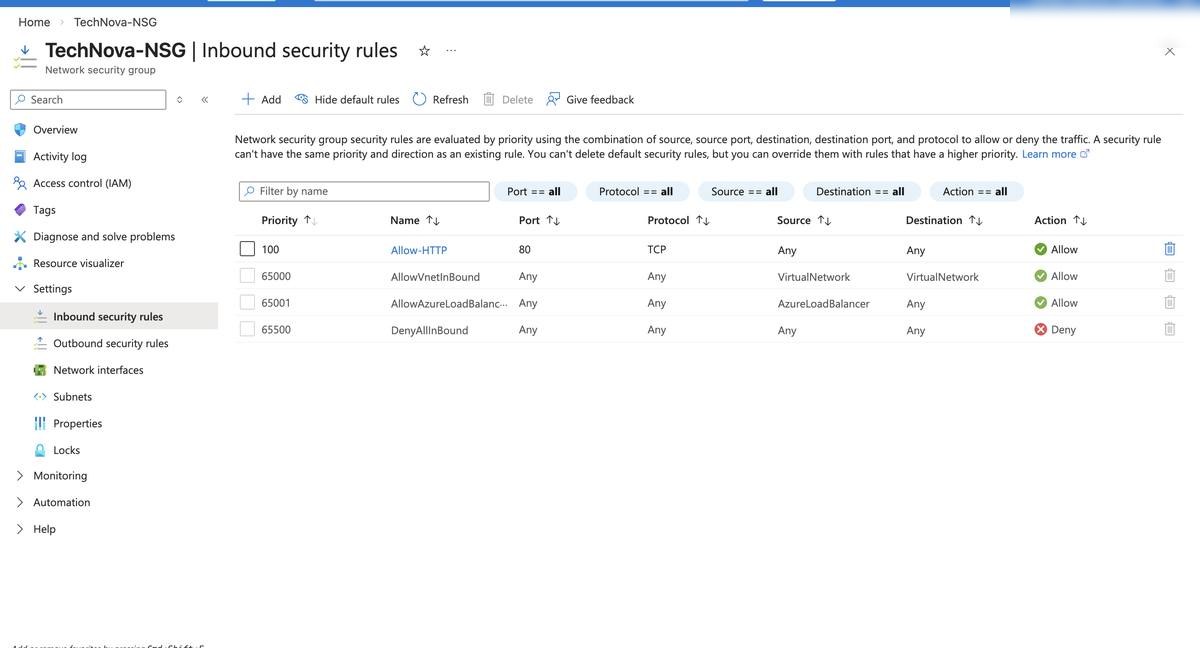
Web NSG โ€” overview and inbound rules
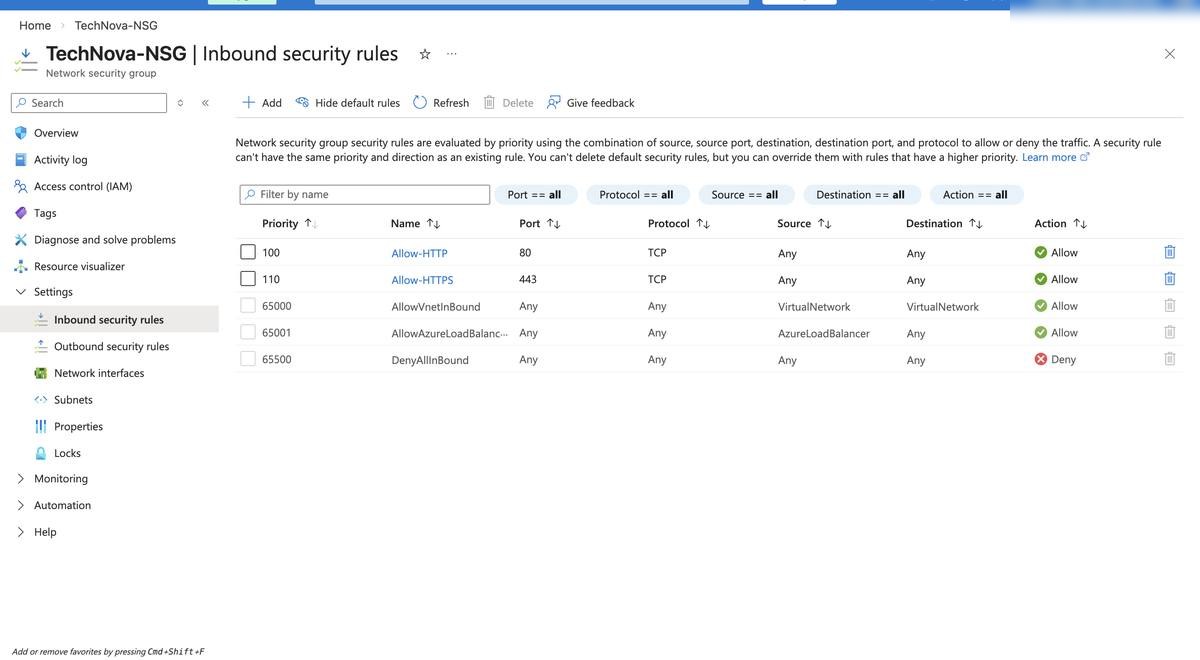
NSG โ€” HTTP port 80 and HTTPS port 443 rules configured
NSG โ€” additional HTTP/HTTPS rule confirmation
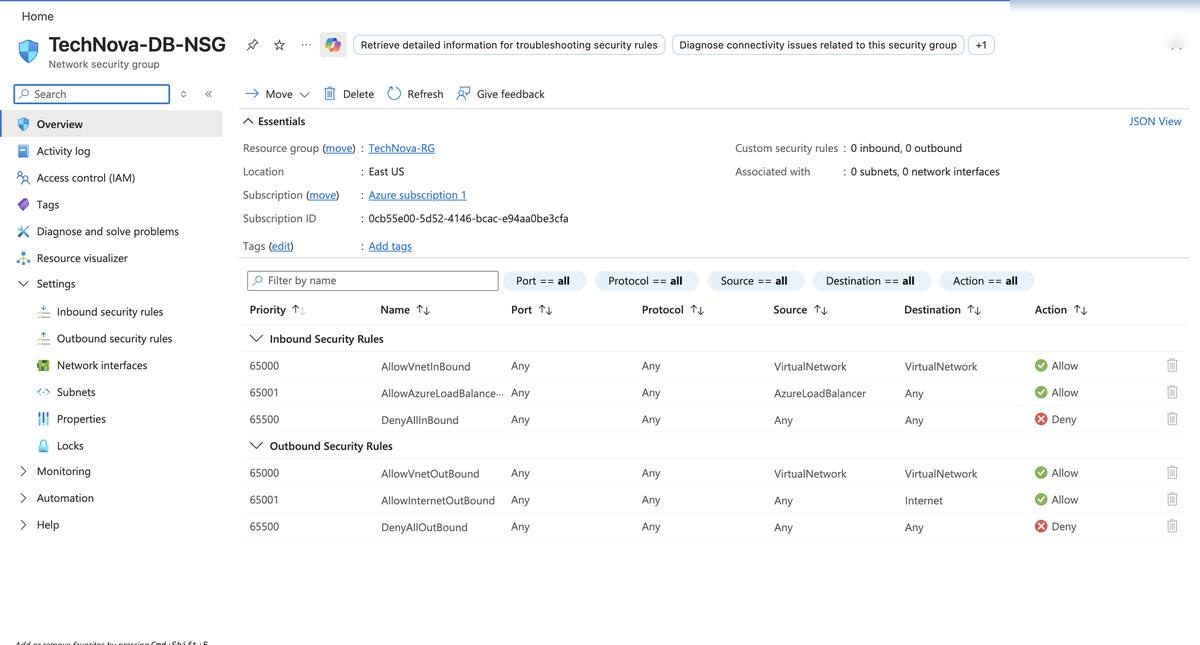
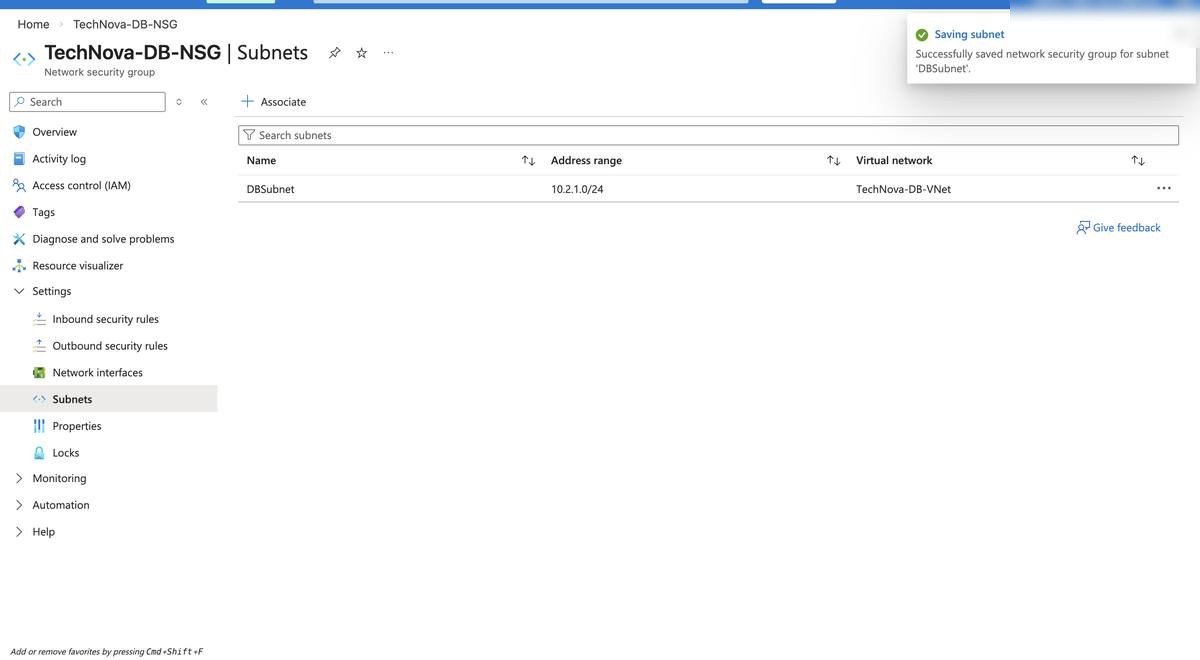
DB NSG โ€” database layer network security group
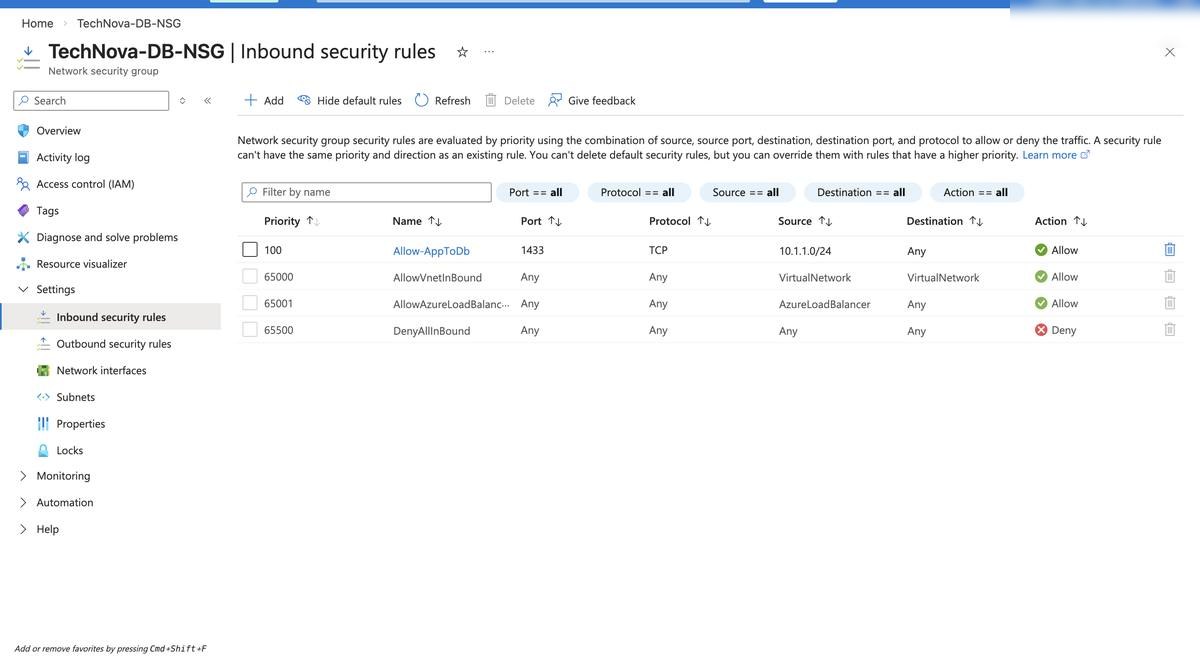
DB NSG โ€” SQL port 1433 restricted to AppSubnet only
NSG associated to subnet โ€” traffic filtering active
04
High Availability

Load Balancing & Resilience

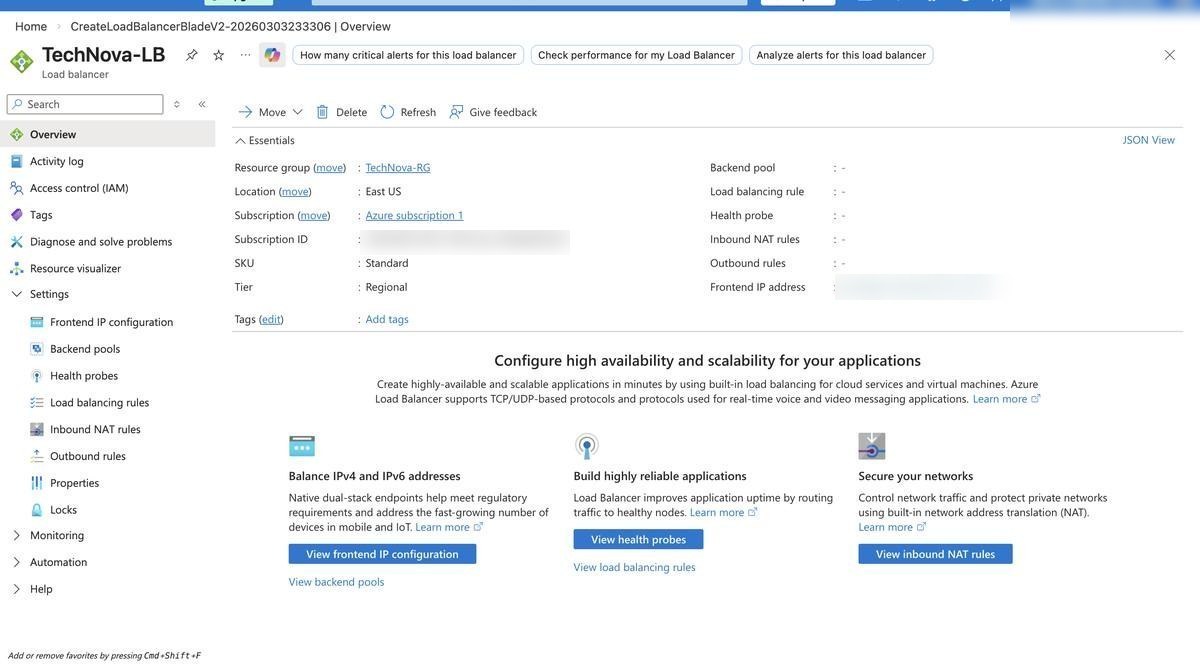
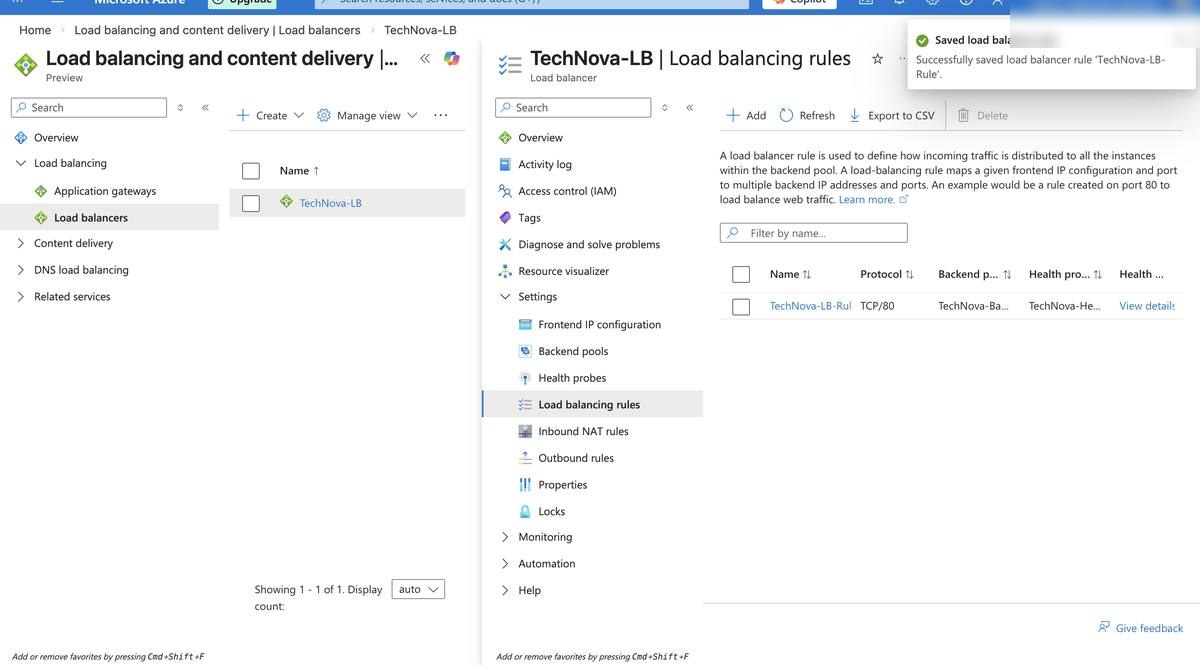
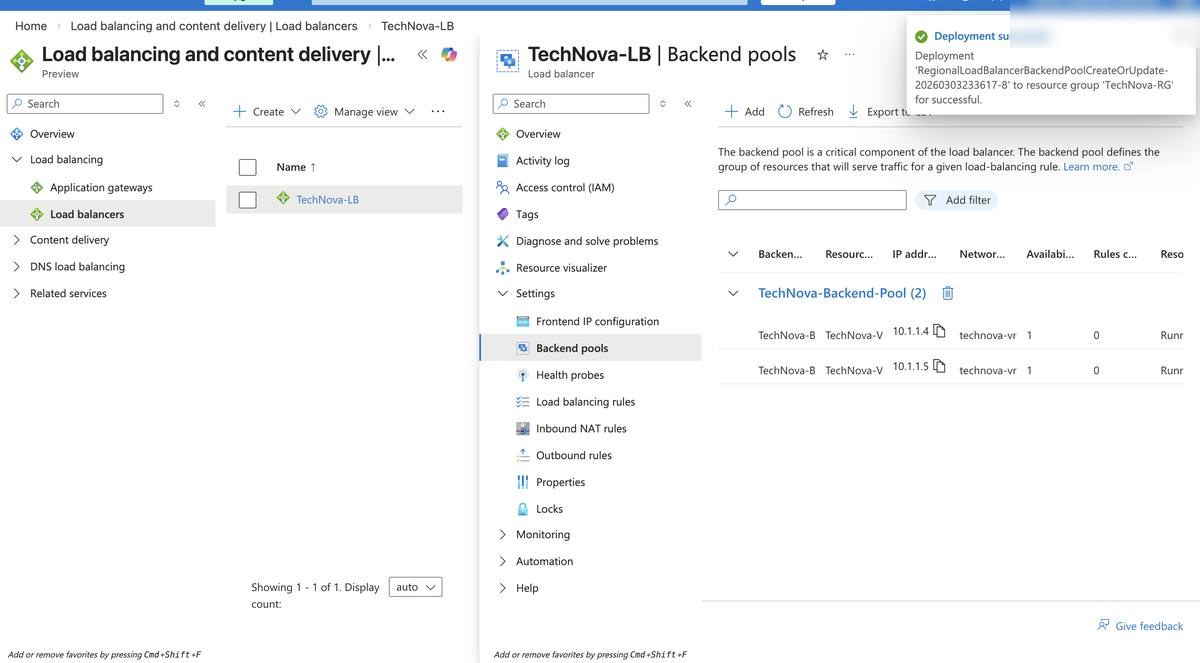
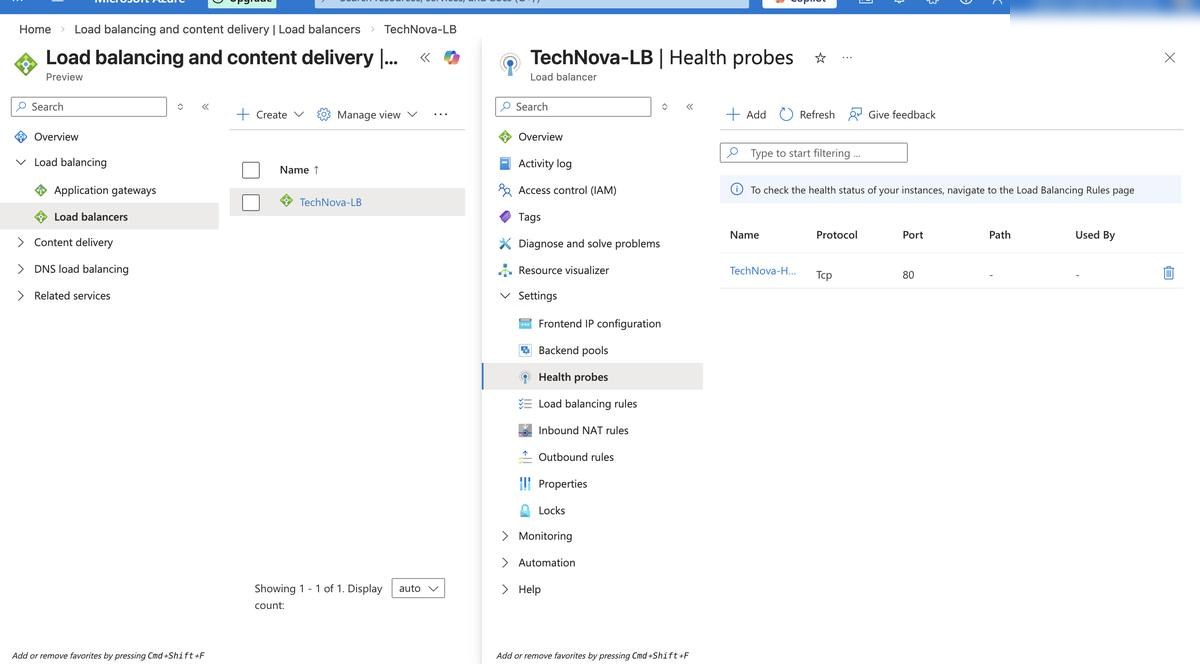
An Azure Load Balancer distributes traffic across both VMs with health probes checking backend availability. If a backend fails its probe, Azure Load Balancer can stop routing traffic to that unhealthy instance based on the configured rule.

Azure Load Balancer Health Probes Load Balancing Rules Backend Pool
TechNova-LB โ€” Load Balancer overview and configuration
Load Balancing Rule โ€” port 80 traffic distribution
Backend Pool โ€” VM1 and VM2 registered and active
Health Probe โ€” continuously checking VM availability
05
Backup & Storage

Data Protection & Business Continuity

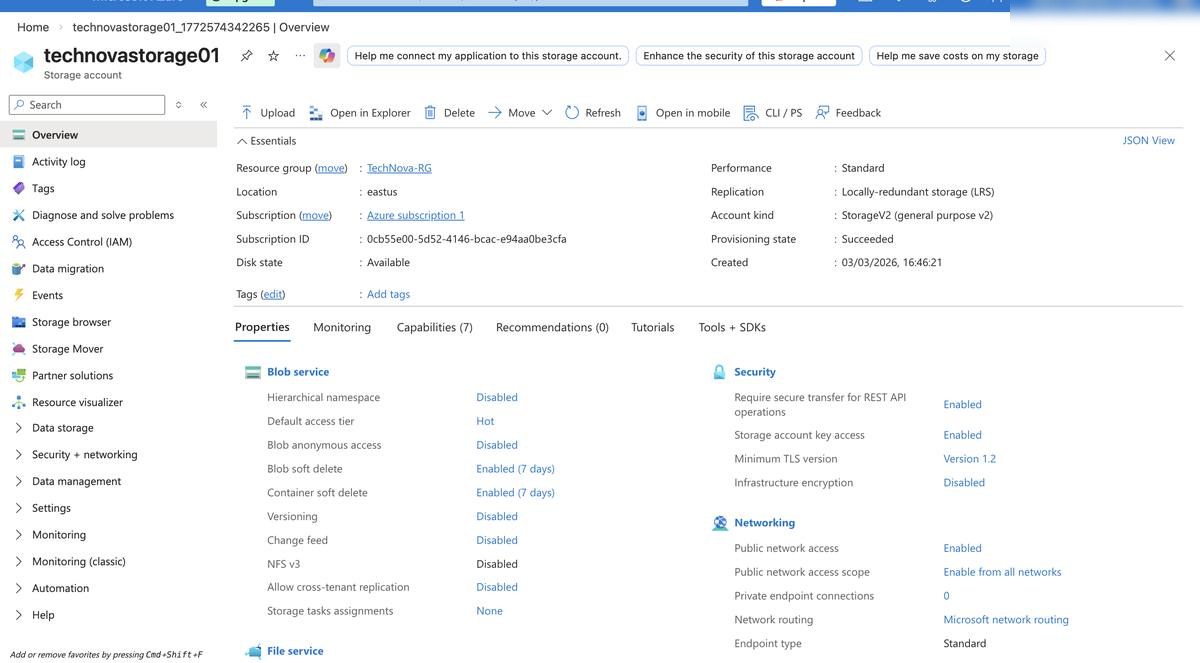
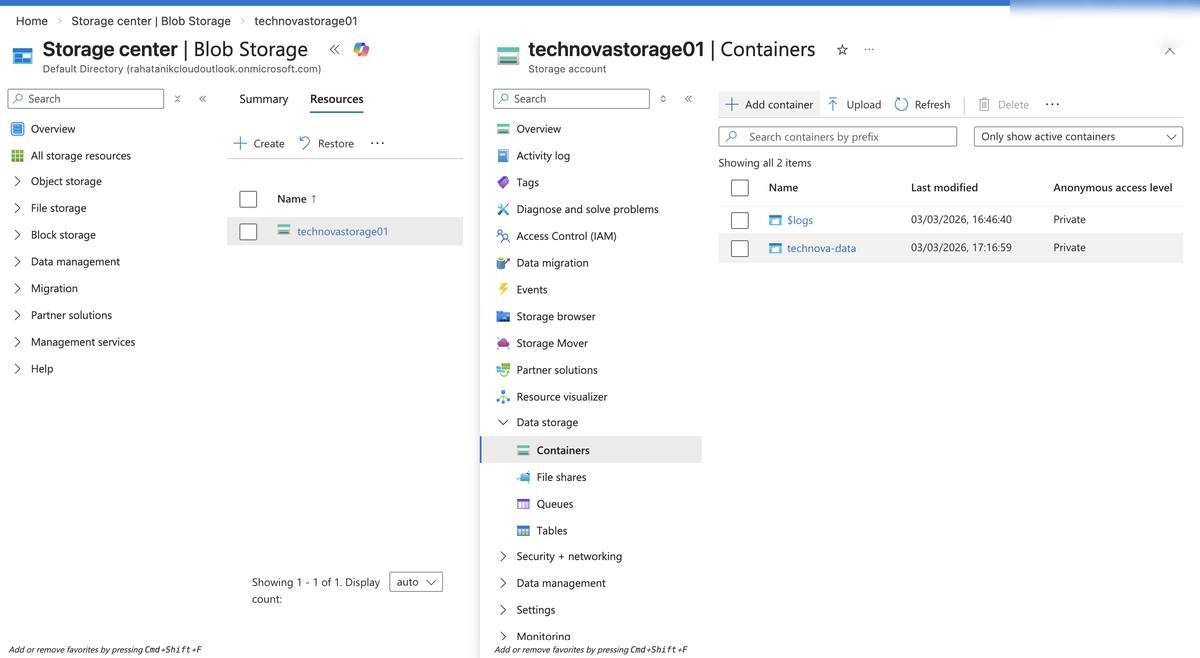
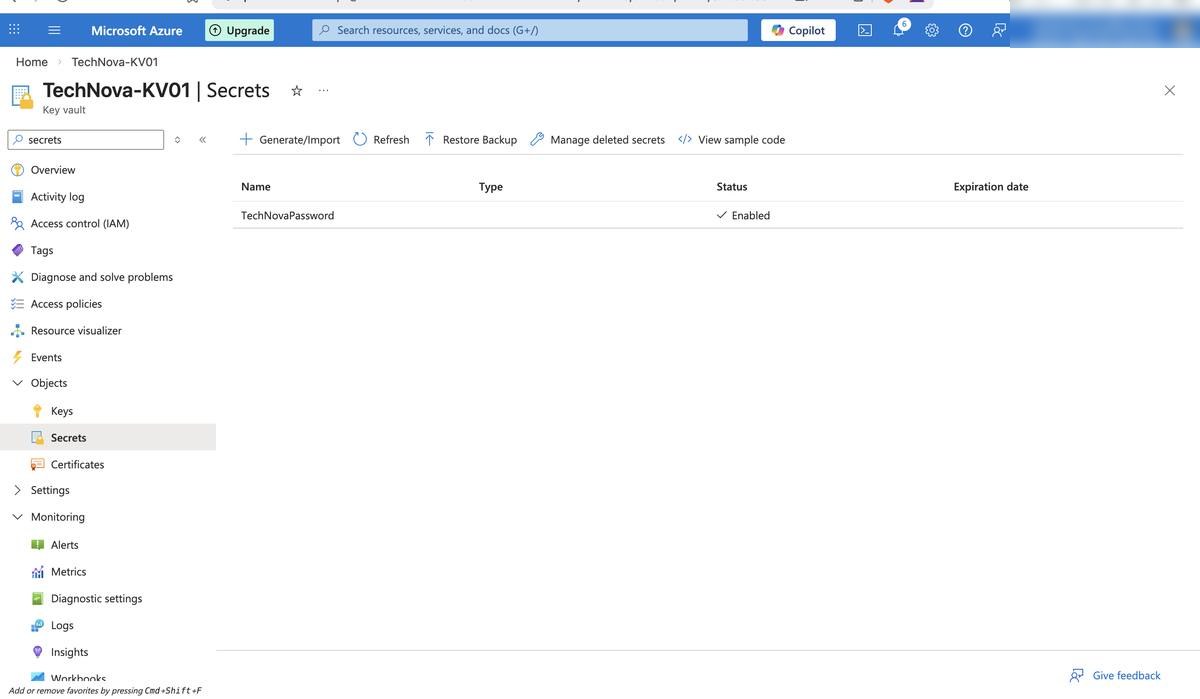
A Storage Account, Key Vault, Recovery Services Vault, and Azure Backup policy were configured to demonstrate data protection and recovery planning. Production use would still require restore testing, monitoring, and formal runbooks.

Storage Account RBAC Access Controls Blob Container Azure Backup Recovery Services Vault
Storage Account โ€” overview and access configuration
Blob Container โ€” storage container configured
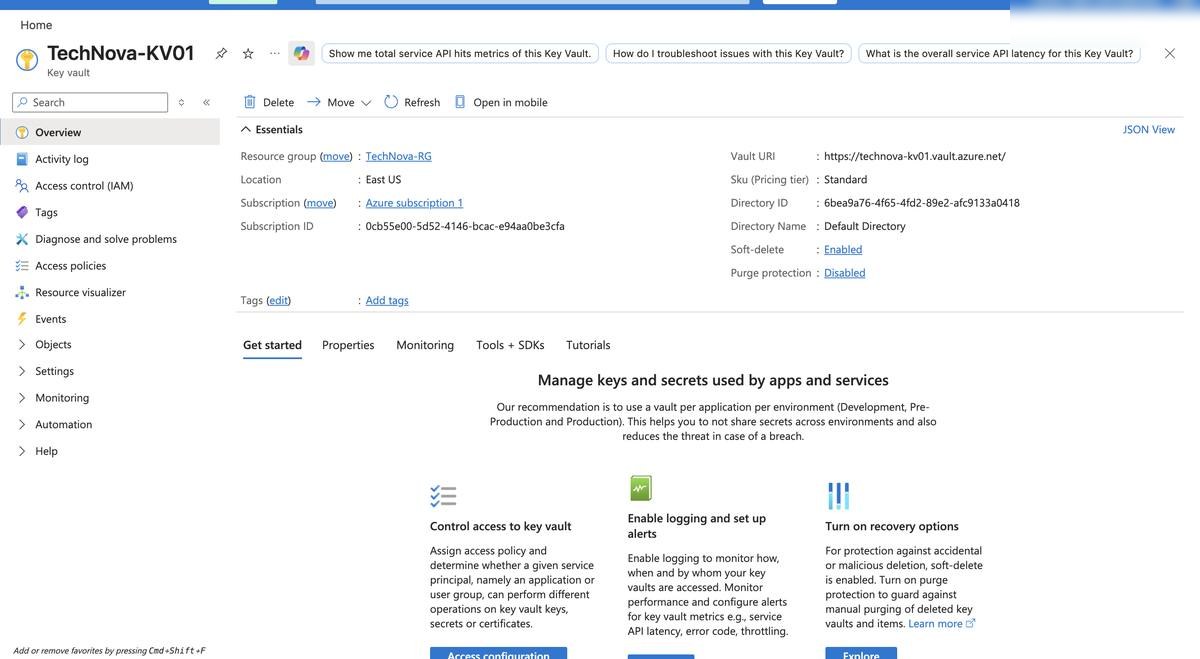
Key Vault โ€” secret storage pattern configured
Key Vault overview โ€” TechNova-KV01 configuration
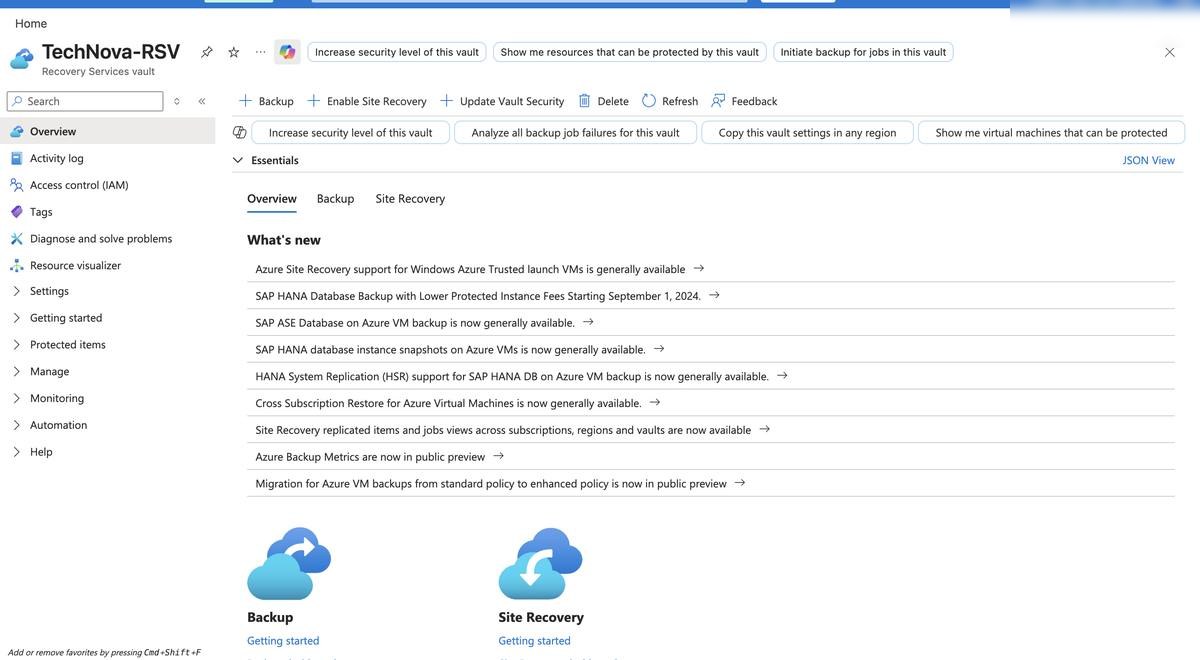
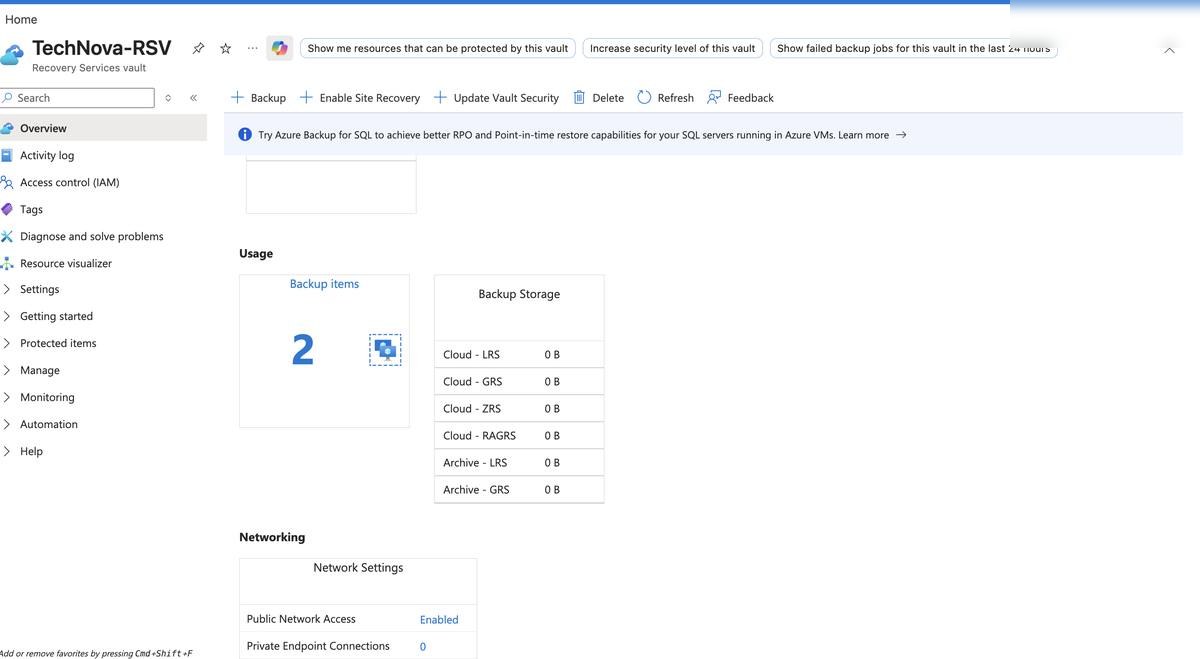
Recovery Services Vault โ€” backup management
Azure Backup โ€” VM backup policy configured
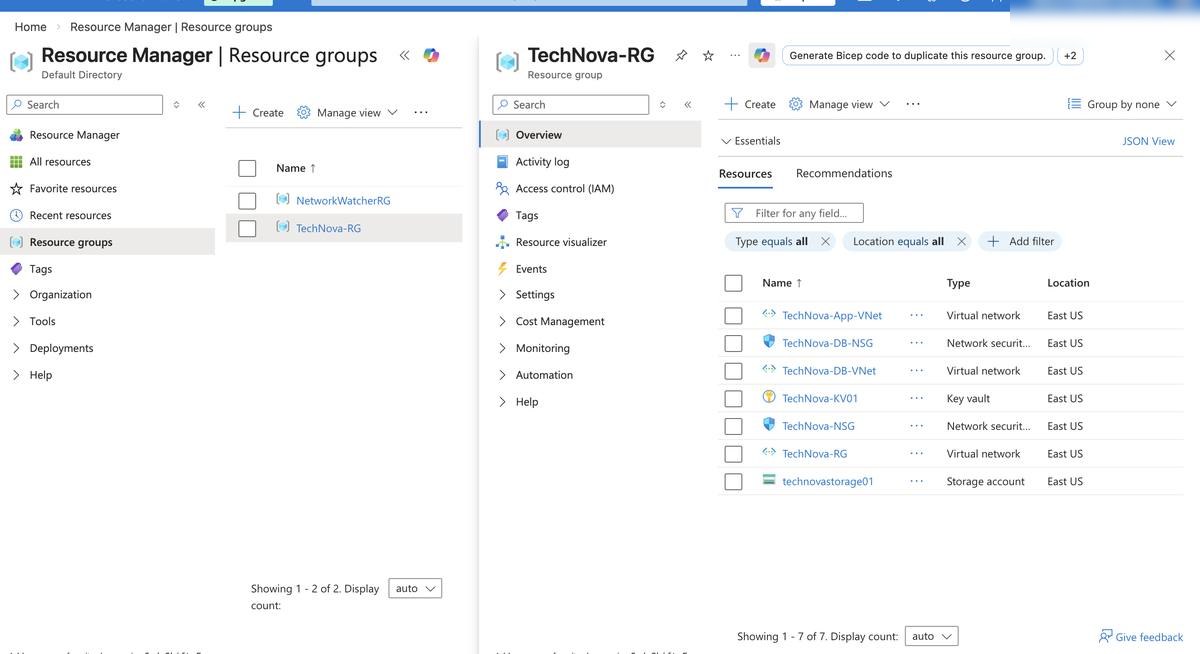
TechNova-RG โ€” final lab resource inventory
Accomplishments

What was
delivered.

16+
Azure resources/services evidenced
3
VNets peered in hub-and-spoke architecture
0
Public IPs on workload VM NICs
33
Azure Portal evidence screenshots

Skills demonstrated across this project:

Virtual Networking Network Security Groups Azure Bastion Load Balancing RBAC & IAM Microsoft Defender Azure Backup Storage Management Cost Governance Resource Tagging Availability Planning Backup Configuration
The End Goal

Not just a project.
Proof I can do the job.

TechNova demonstrates that I can take a blank Azure subscription, build a secure and segmented infrastructure foundation, document the evidence, and explain the production gaps a real team would close before go-live.

View on GitHub Connect on LinkedIn