Microsoft 365 · Lab Tenant Case Study · Self-Directed · 2025
Microsoft 365 Admin Case Study.
TechSolutions Inc. is a representative 300-employee Microsoft 365 scenario implemented with 10 sample users in a live lab tenant. The case study documents identity, licensing, collaboration, security controls, DLP validation, monitoring, and automation workflows.
Before a single email is sent or a document shared, the right people need to be in the right places with the right access. Phase 01 was about establishing TechSolutions' identity layer — bulk user onboarding, department structure, licensing, and permissions — so the rest of the deployment had solid ground to build on.
01
Identity & Access
Bulk User Onboarding via CSV + Microsoft 365 E5 Licensing
Bulk Import — 10 Users, 3 Departments
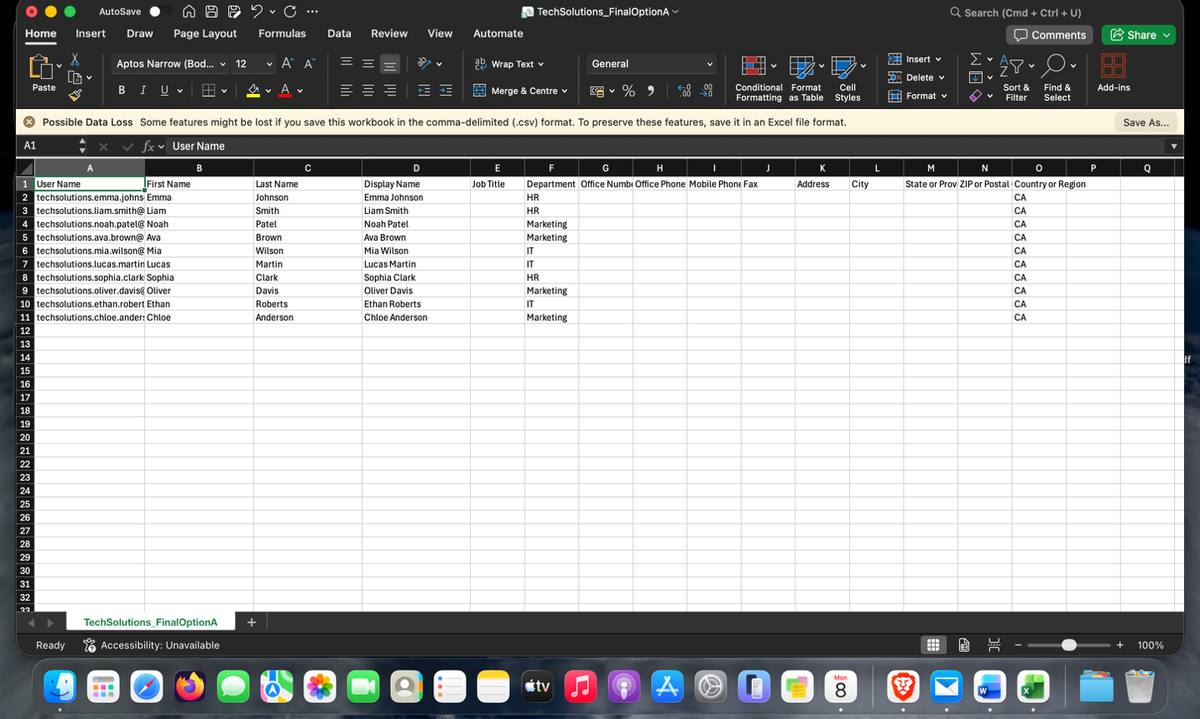
TechSolutions has three departments: IT, HR, and Marketing. Rather than creating user accounts one by one, I prepared a structured CSV file containing all 10 employee accounts — with UPN, display name, department, and country — then imported them directly through the Microsoft 365 Admin Center in a single operation. Every account was automatically provisioned with correct departmental metadata from day one.
Why this matters: In a 300-employee environment, manual account creation is not practical. The 10-user lab import demonstrates the repeatable onboarding pattern an administrator would scale with proper review and change control.
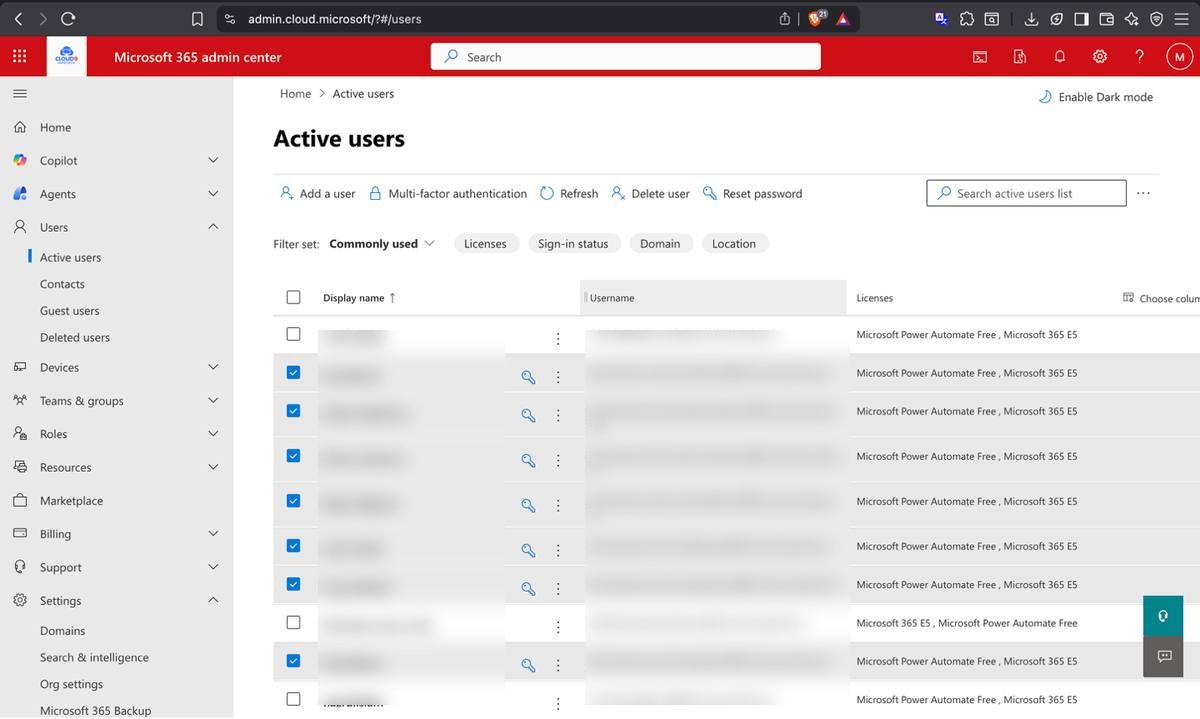
CSV file prepared — 10 TechSolutions users with department and UPN fieldsM365 Admin Center — all users imported and displaying E5 license assignments
E5 Licensing + User Profiles with Company Branding
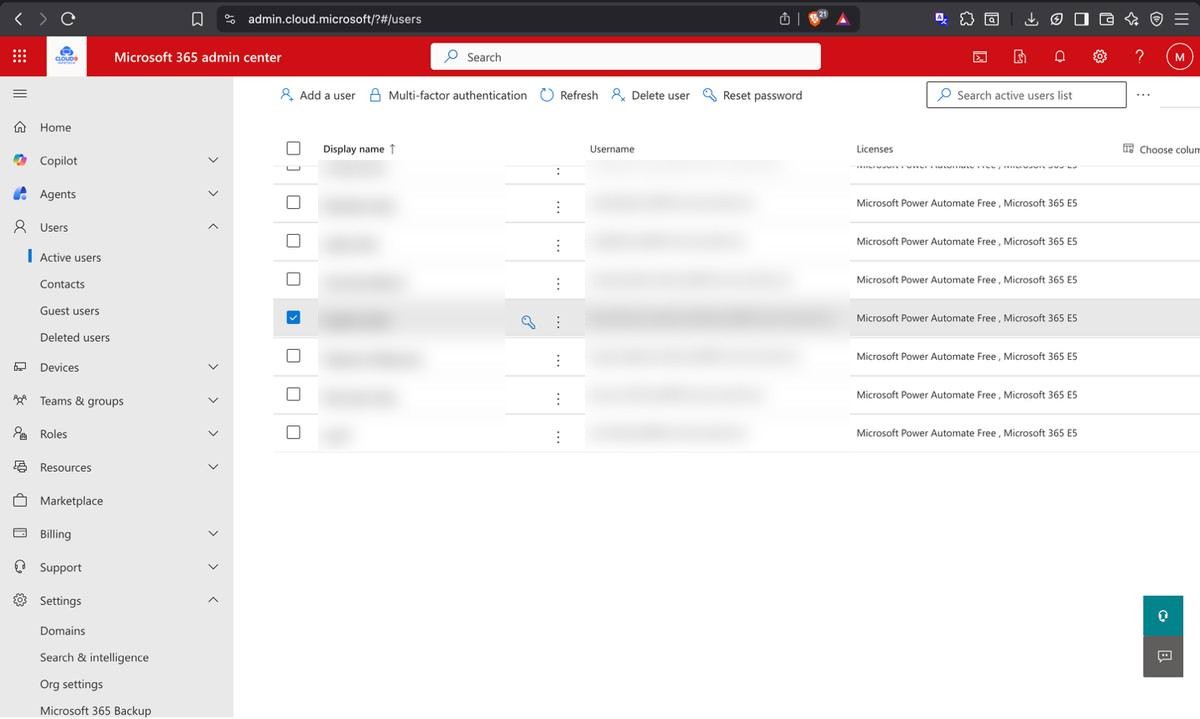
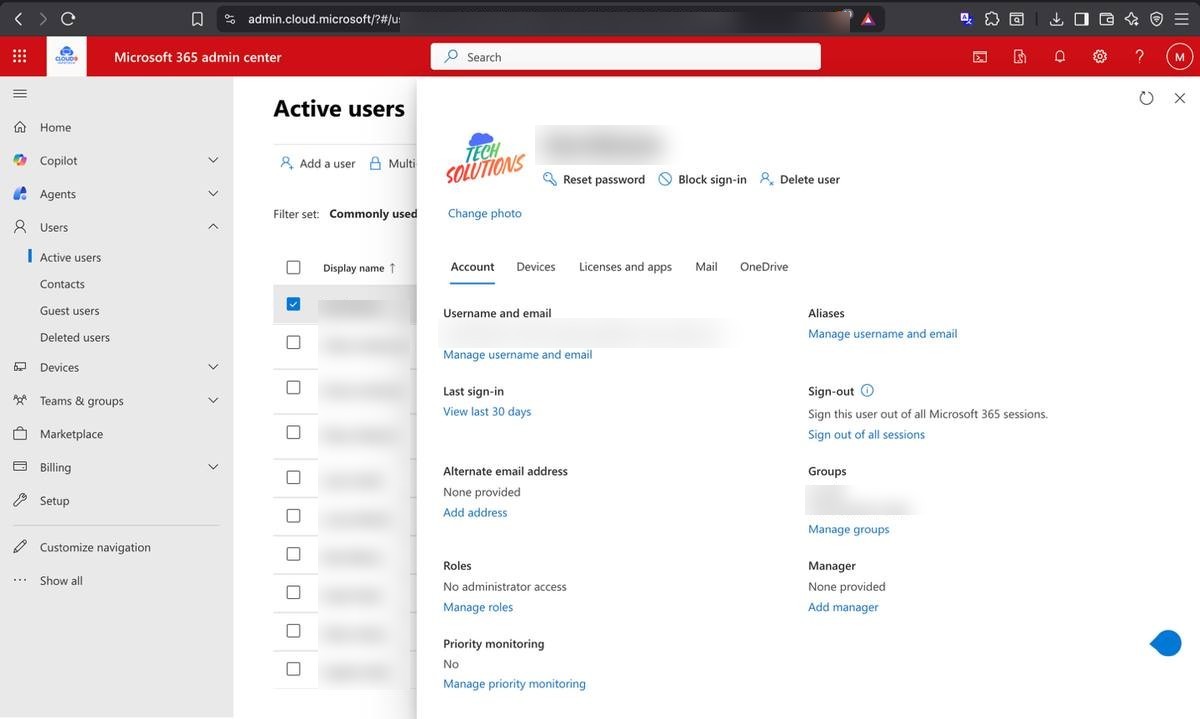
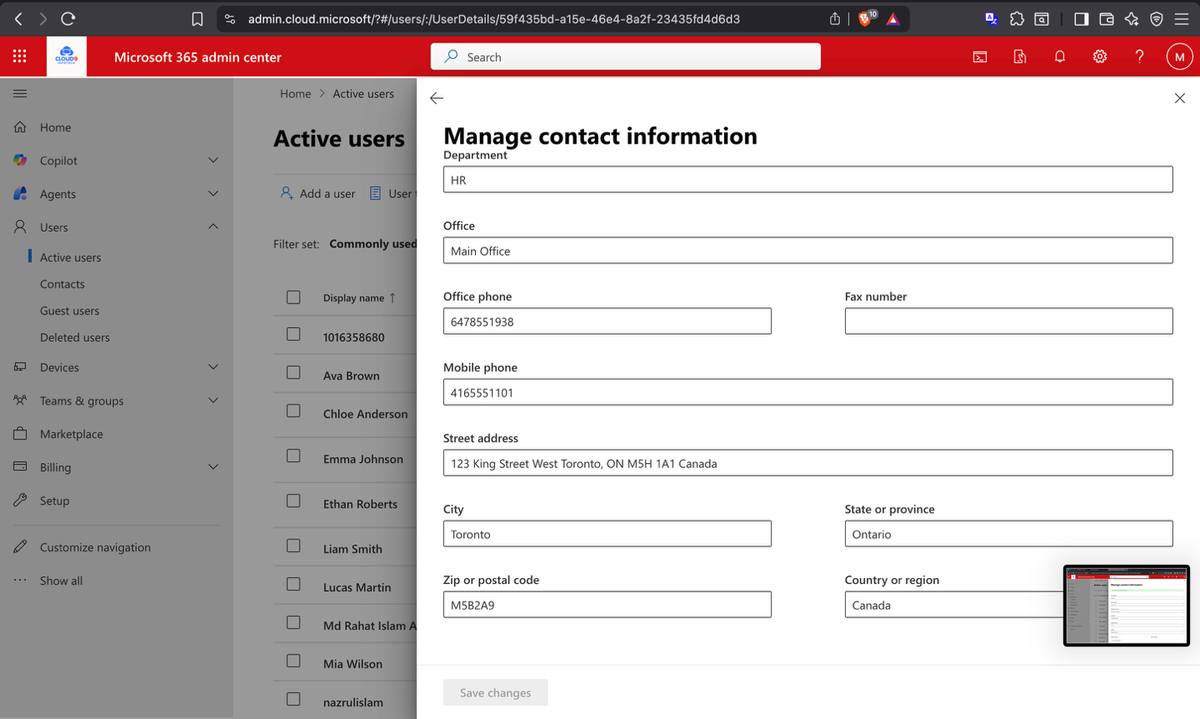
Each imported account was assigned a Microsoft 365 E5 license — the highest tier, covering Defender, Purview, Power Automate, and the full compliance stack. Profile pictures were standardized using the TechSolutions company logo to maintain consistent branding across the Admin Center, Teams, and Outlook. Department fields, job titles, and contact information were populated across all accounts.
Active users with E5 licenses confirmed — all TechSolutions accounts licensedUser profile configured — company logo, department, and job title populated
Microsoft 365 Groups — IT, HR, Marketing + Master Group
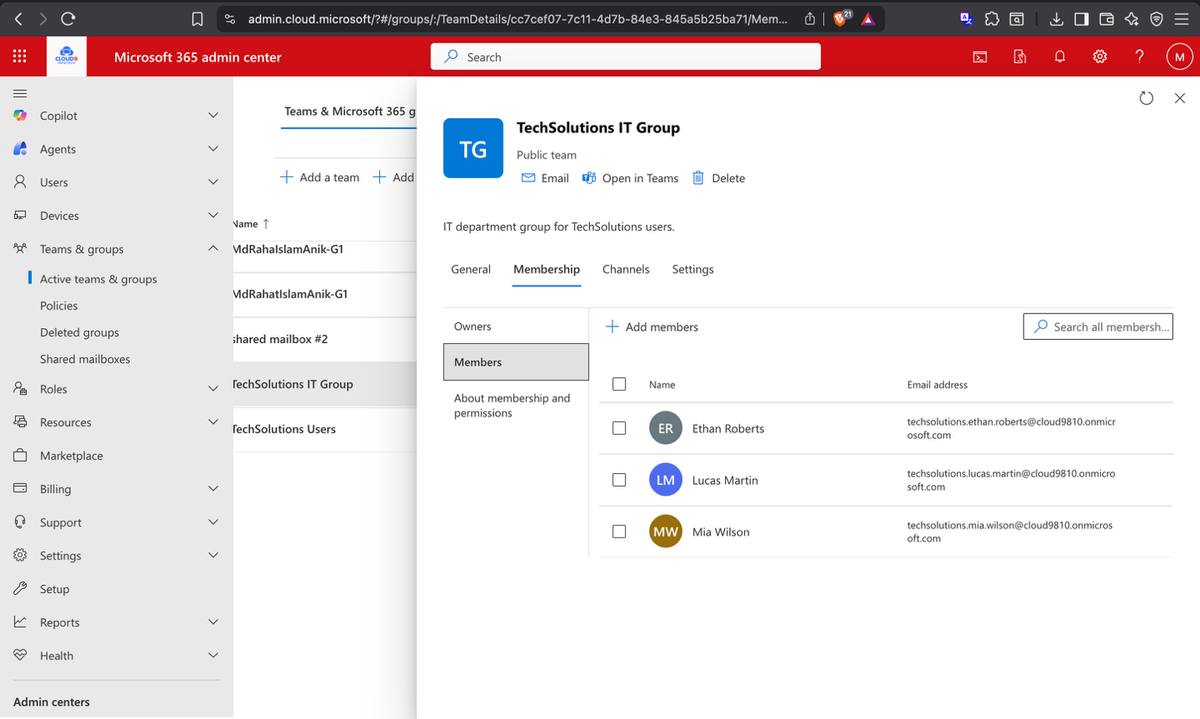
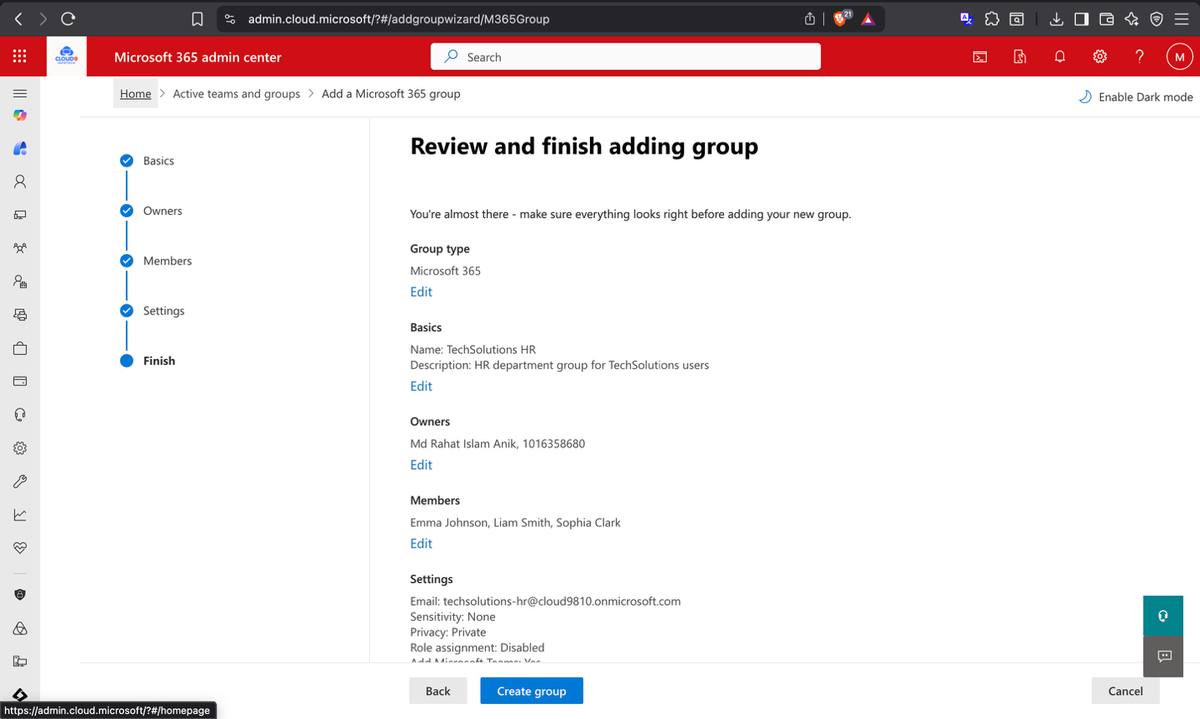
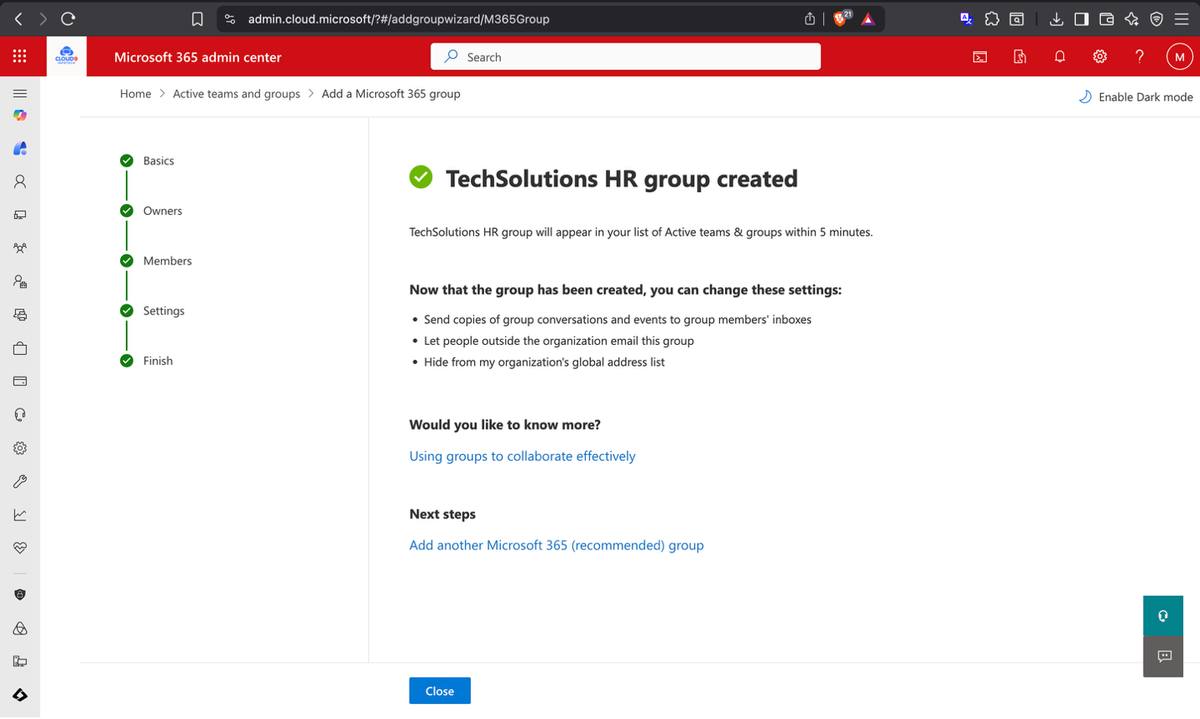
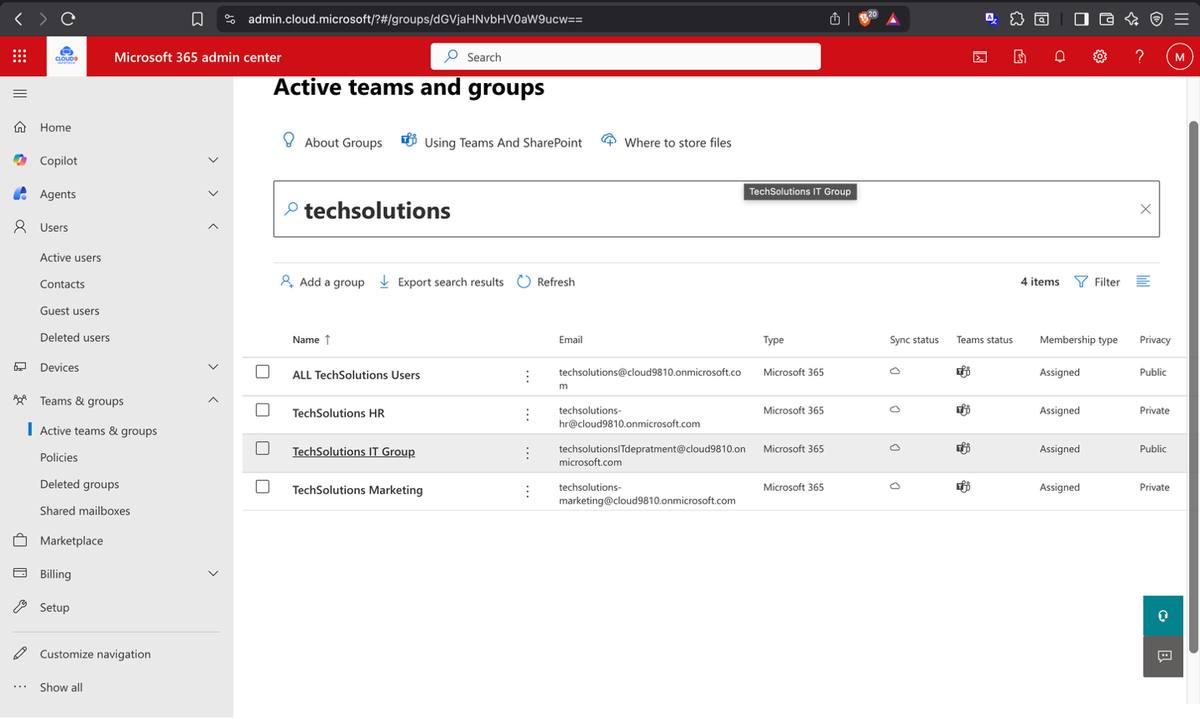
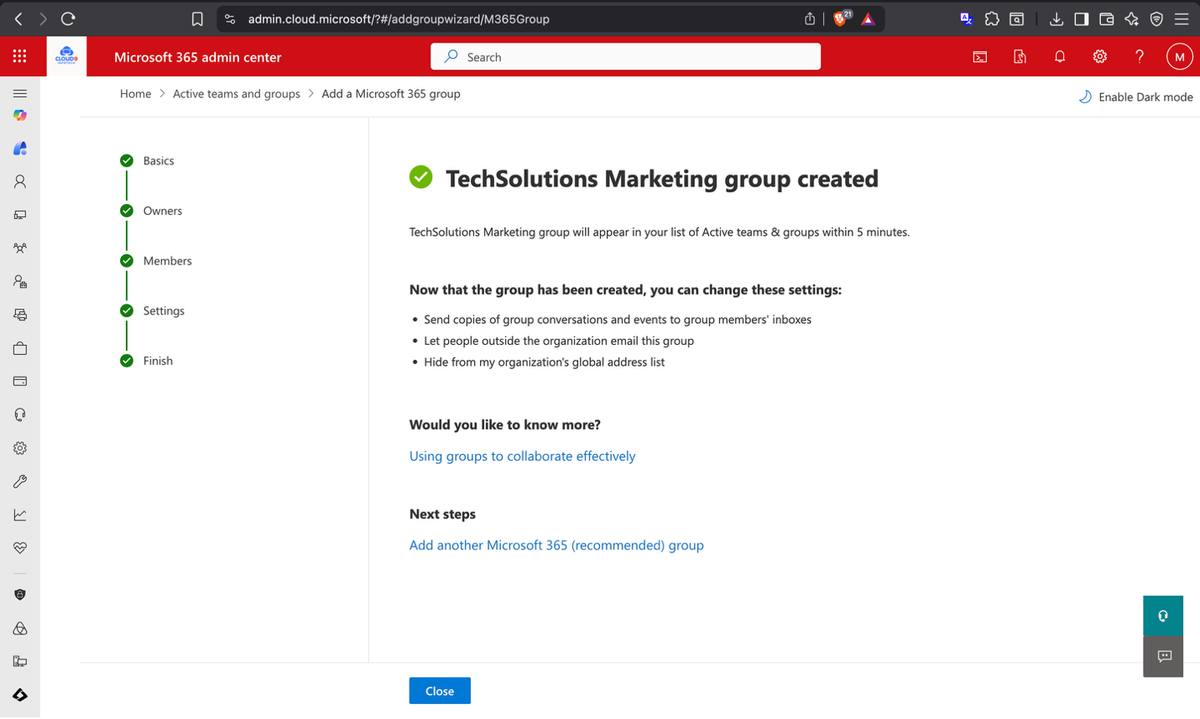
Three Microsoft 365 Groups were created — one per department — with users assigned to their respective groups. A fourth master TechSolutions group containing all users was created for tenant-wide communications and simplified license management. Group creation in M365 automatically provisions a shared mailbox, SharePoint site, Teams workspace, and Planner — one action, five connected services.
TechSolutions IT group — final configuration review before creationIT group successfully created with correct members
TechSolutions HR group — sample members configuredTechSolutions master group — all 10 users enrolled for tenant-wide management
User Permissions — SharePoint Access & Teams Creation Rights
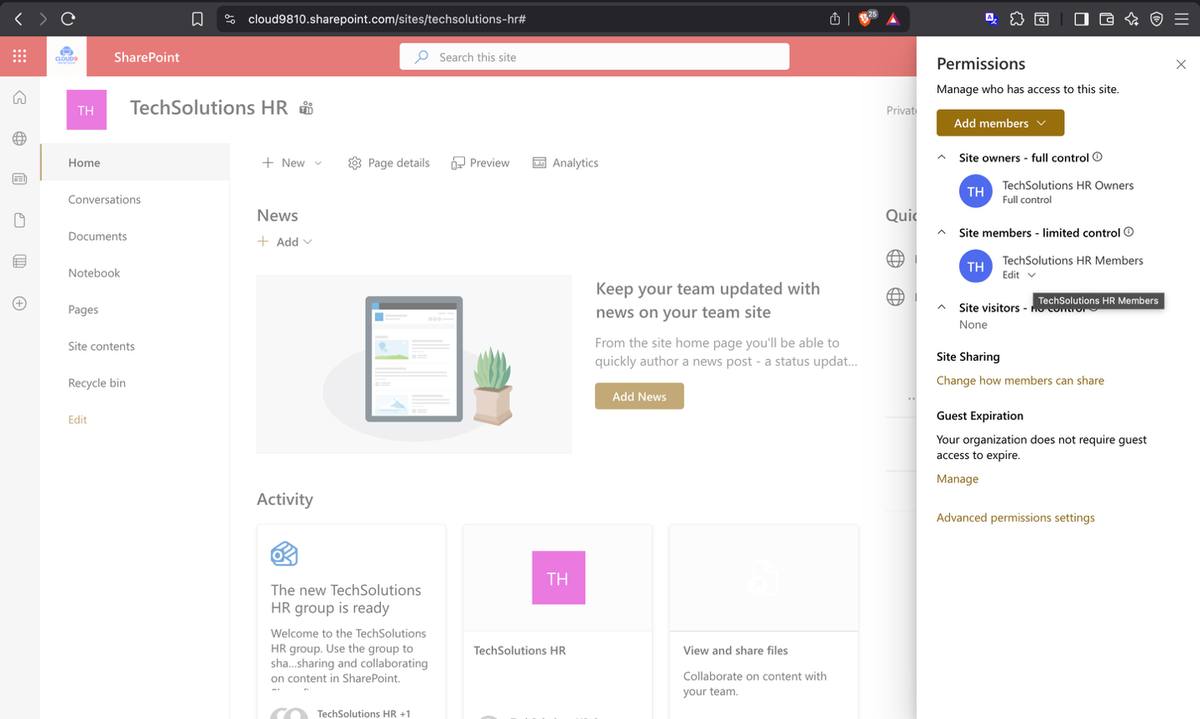
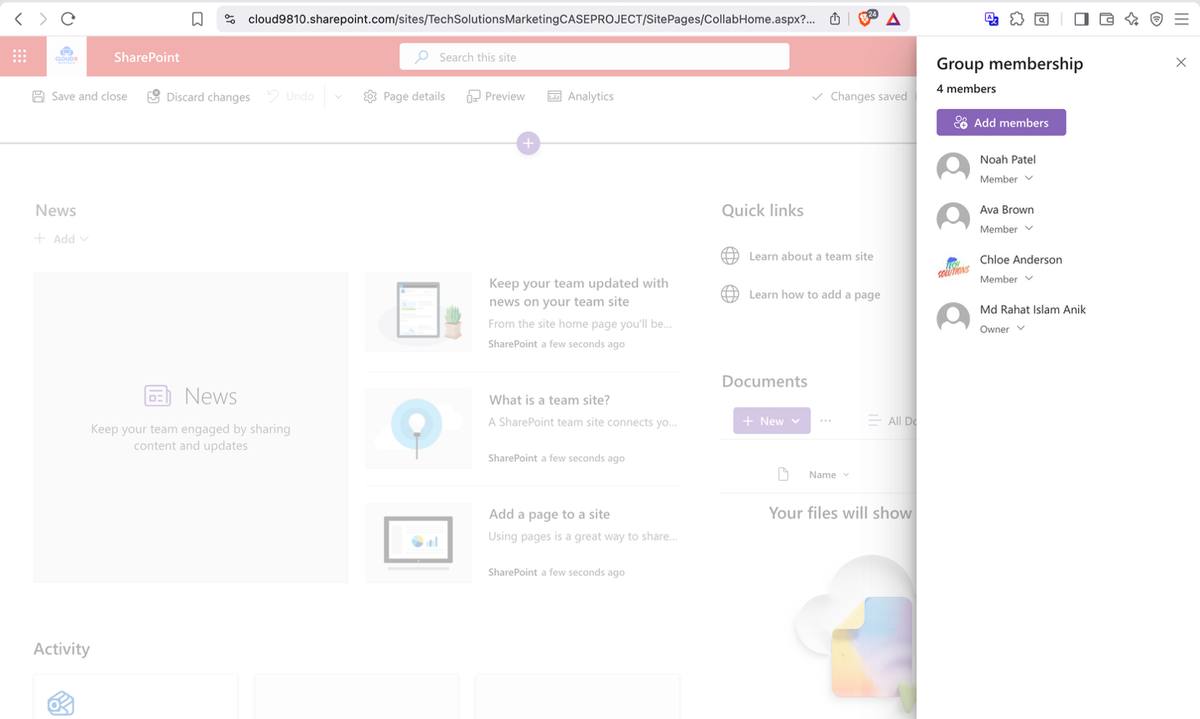
Permissions were configured at the group level: the HR group received Full Control on the TechSolutions HR SharePoint site and Edit-level access for members, supporting a more restricted HR collaboration model. The Marketing group was granted rights to create and manage Microsoft Teams workspaces, confirmed by successfully provisioning a Marketing team and adding all Marketing users as members.
HR SharePoint site — Full Control for Owners, Edit for Members, access denied for othersMarketing team created in Microsoft Teams — all Marketing users added as members
Phase 02
Security & Data Protection — Locking the Perimeter
An M365 tenant needs layered controls across identity, email, data, and collaboration. Phase 02 configured representative protections for email-borne attacks, phishing, malware handling, unauthorized data sharing, and internal data leak detection in a live lab tenant.
02
Security & Compliance
Microsoft Defender · Email Encryption · DLP · Insider Risk
Microsoft Defender for Office 365 — Safe Links & Safe Attachments
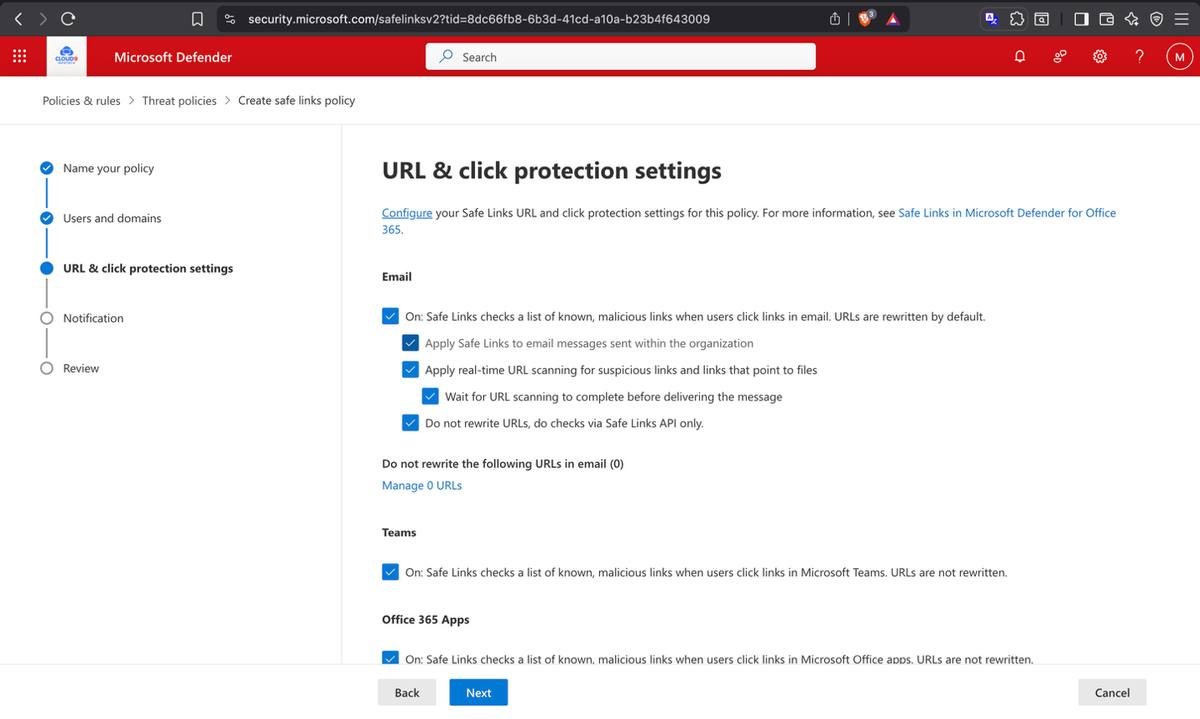
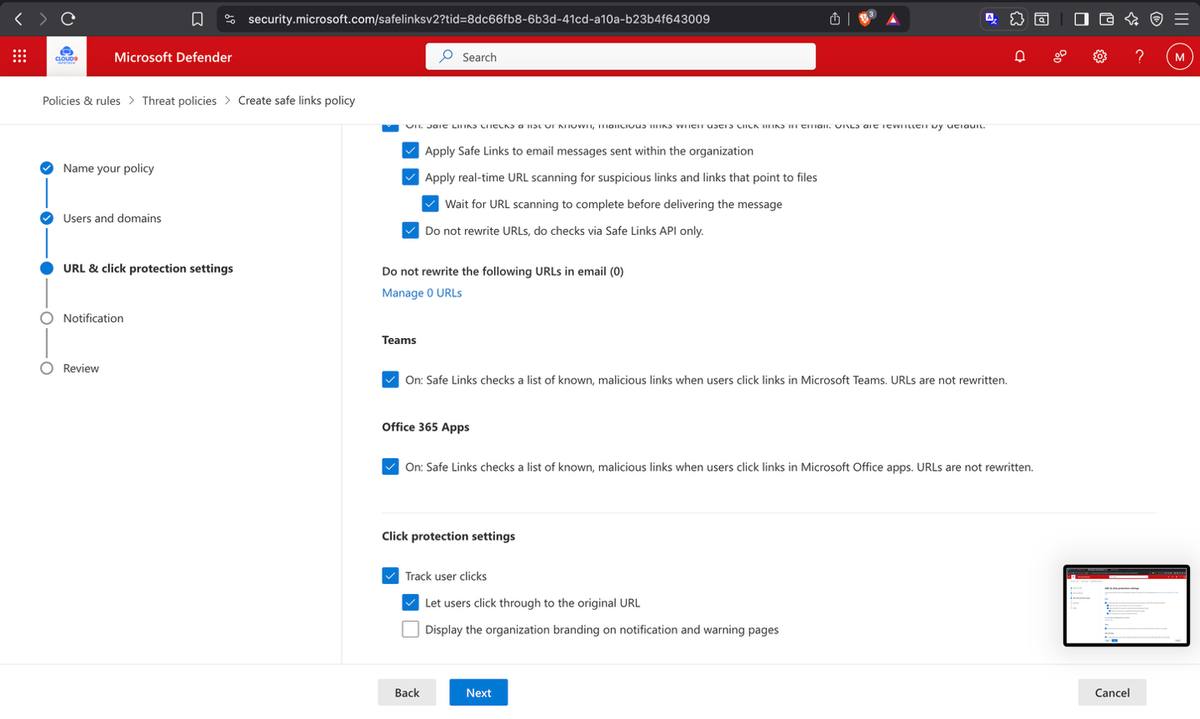
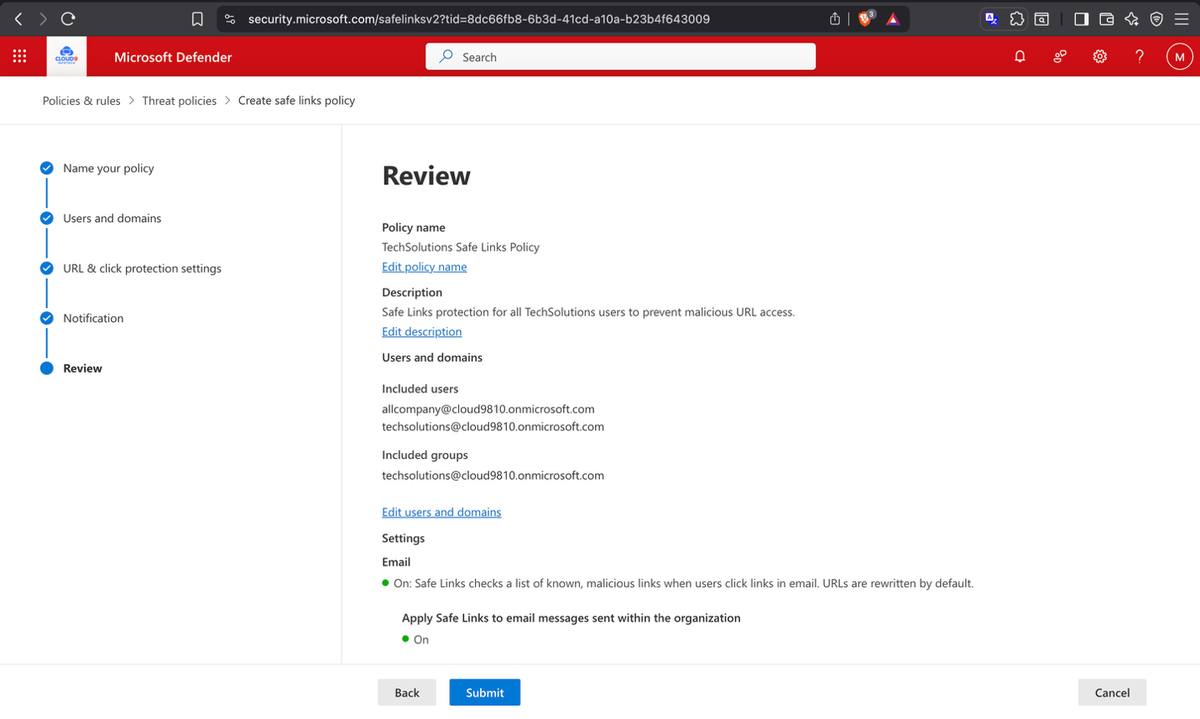
Safe Links and Safe Attachments were enabled under Preset Security Policies — Standard and Strict protection applied to inbound email in the lab. Safe Links rewrites URLs at time-of-click and Safe Attachments evaluates suspicious files before delivery. Together, these controls reduce common email-based risk.
Safe Attachments — Standard and Strict protection enabled for all inbound emailSafe Links — real-time URL scanning and link rewriting enabled
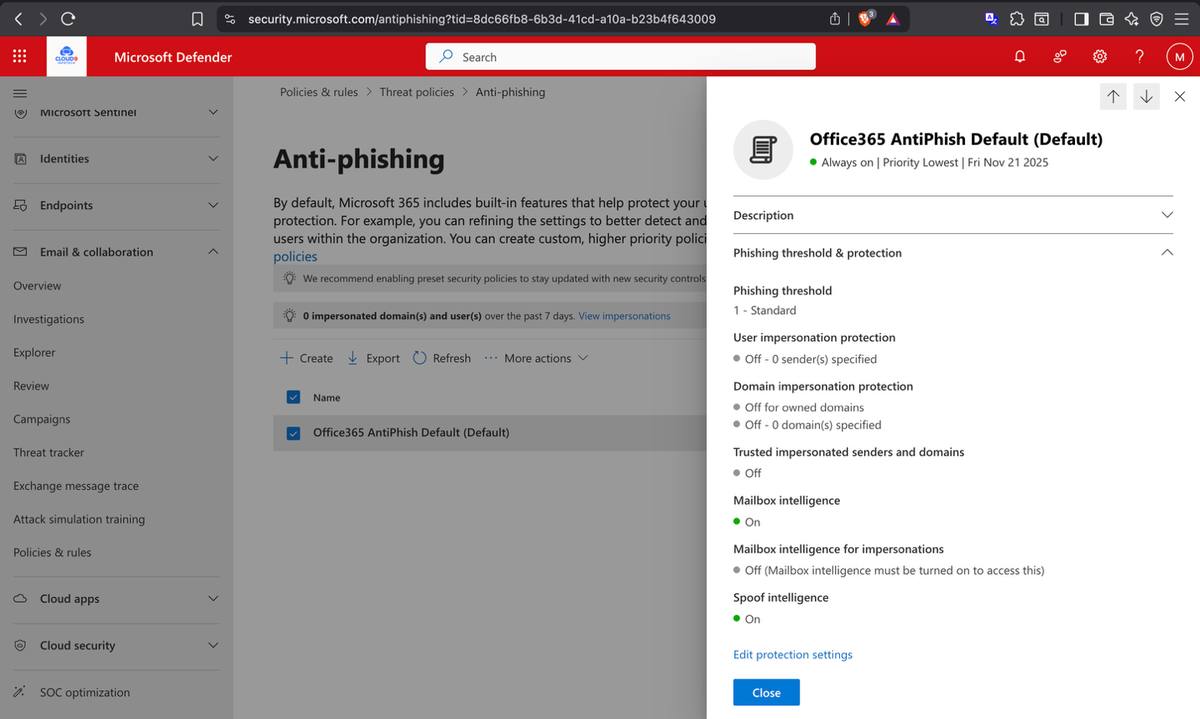
Anti-phishing was configured through Microsoft Defender's Threat Policies. Mailbox intelligence and spoof intelligence were both enabled — allowing Defender to learn normal sending patterns and flag anomalies. Phishing threshold was set to Standard. Zero impersonated domains or users were detected in the 7-day window post-configuration, confirming clean baseline.
Anti-phishing policy — mailbox intelligence and spoof intelligence both enabled
Microsoft 365 Message Encryption — Automatic Internal Email Encryption
A mail flow rule was configured in the Exchange Admin Center to automatically apply Microsoft 365 Message Encryption (OME) to all internal-to-internal emails. The rule — "Encrypt All Internal Emails" — was enabled and confirmed active. This ensures that any communication between TechSolutions employees is encrypted in transit, with no action required from the sender.
Exchange Admin Center — mail flow rule applying OME encryption to internal messagesEncrypt All Internal Emails rule — enabled and confirmed active
Data Loss Prevention — Canadian PII & Financial Data Protection
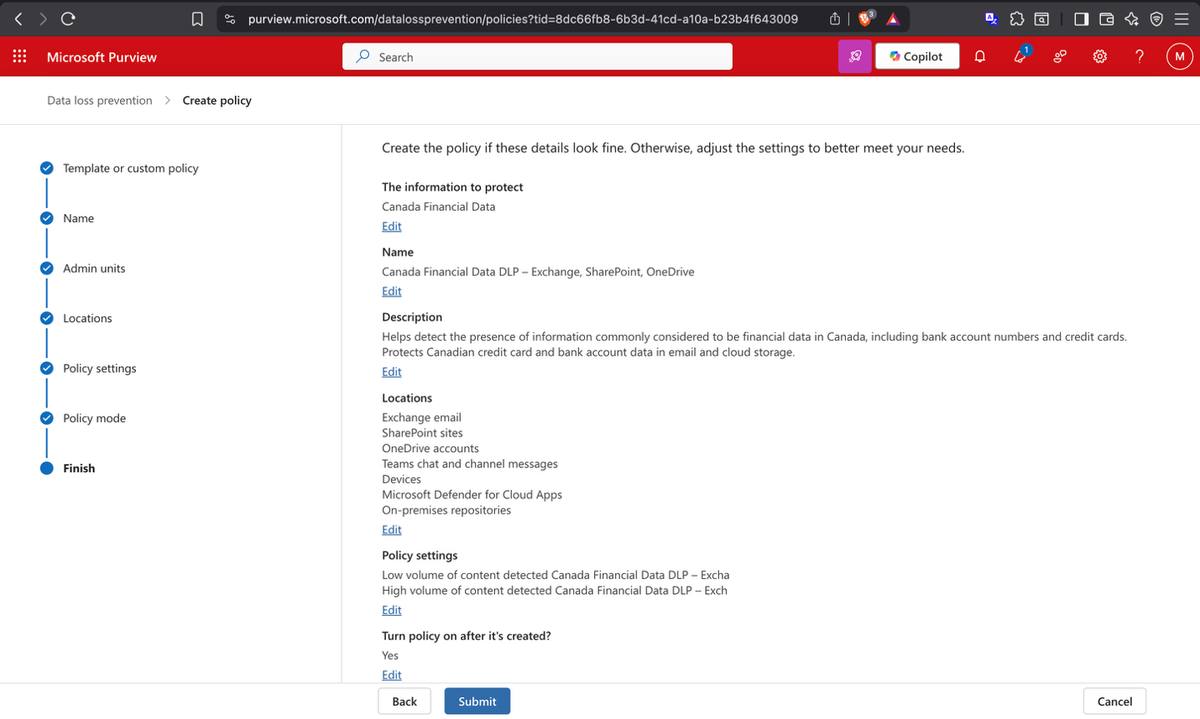
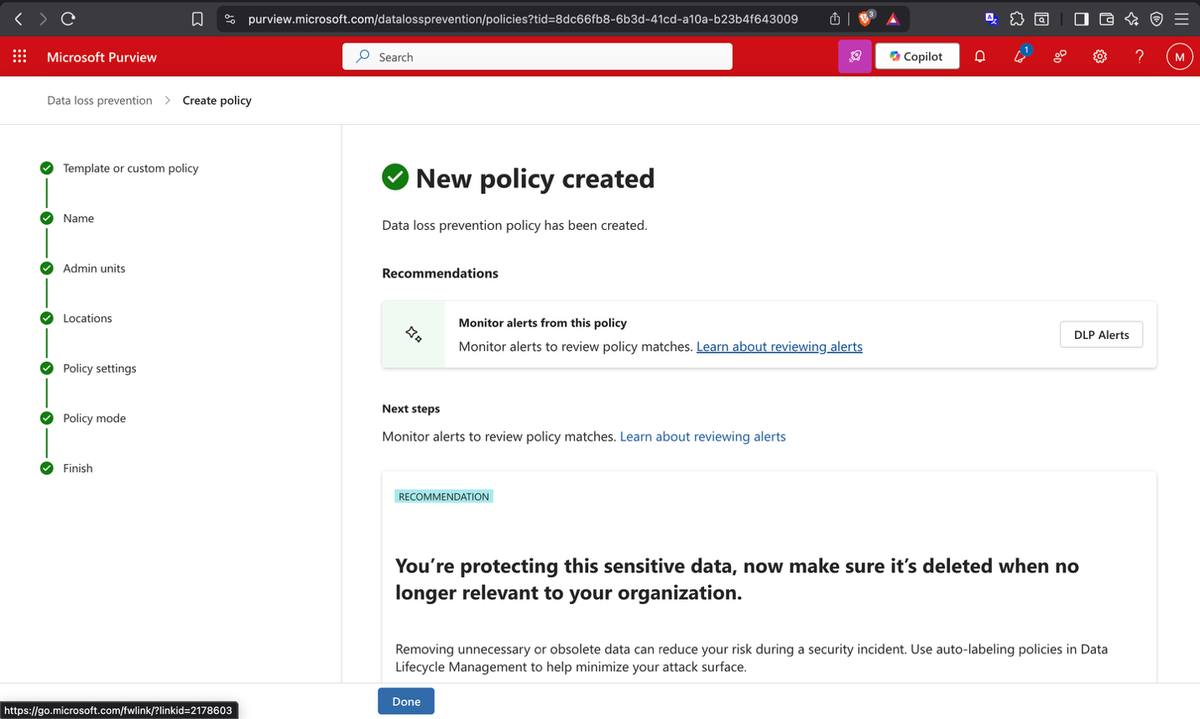
Two DLP policies were created in Microsoft Purview targeting the highest-risk data types for a Canadian organization: Canadian Personally Identifiable Information (PII) and financial data including credit card numbers. Both policies were set to active status and verified by triggering a test — an email containing credit card data immediately generated a high-severity DLP alert, confirming detection was working in real time.
Live test result: Email sent with test credit card data → DLP policy detected the sensitive content → High-severity alert generated in Microsoft Purview → DlpRuleMatch event logged in audit trail.
Microsoft Purview — high-severity DLP alert triggered on credit card detectionDLP policy for Canadian PII — configured, activated, and verified
DLP policies dashboard — Canadian financial data and PII policies both Status: ON
Insider Risk Management & Adaptive Protection
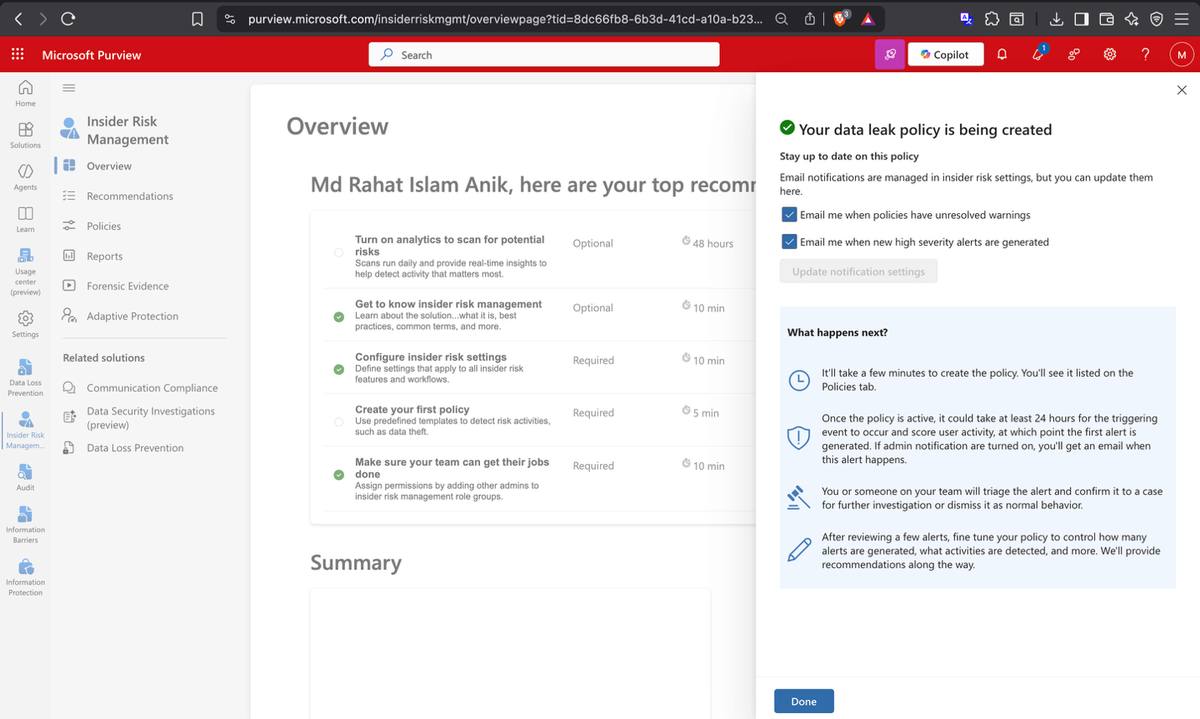
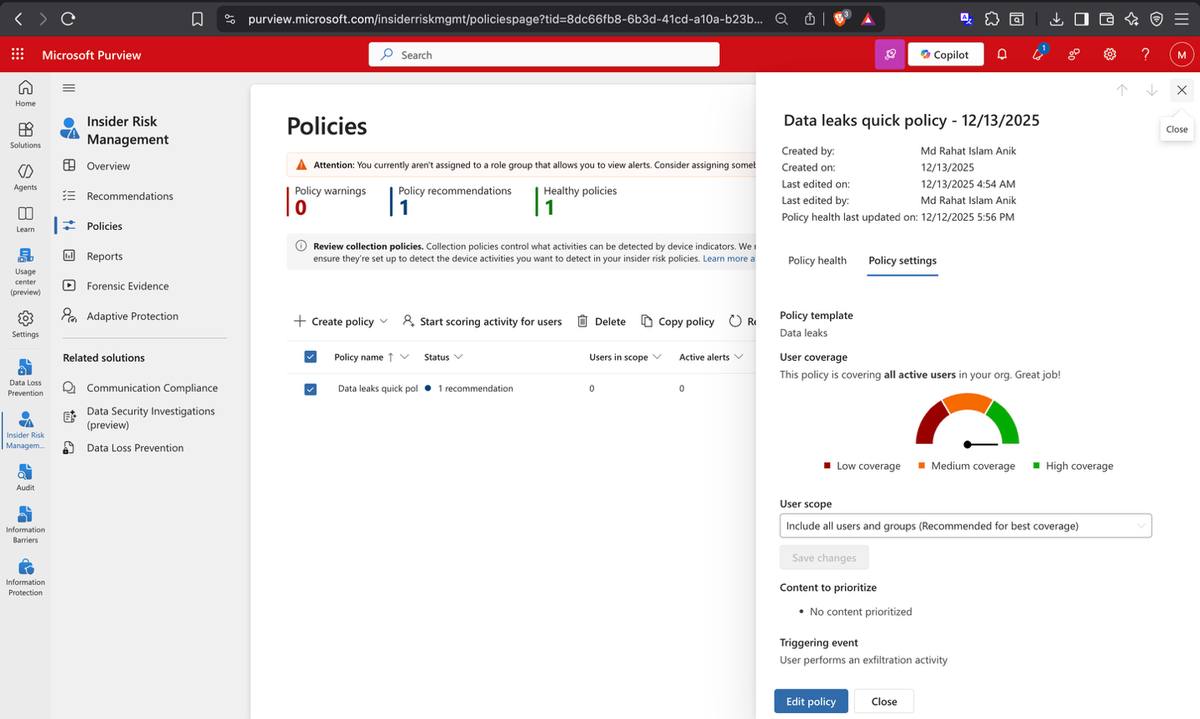
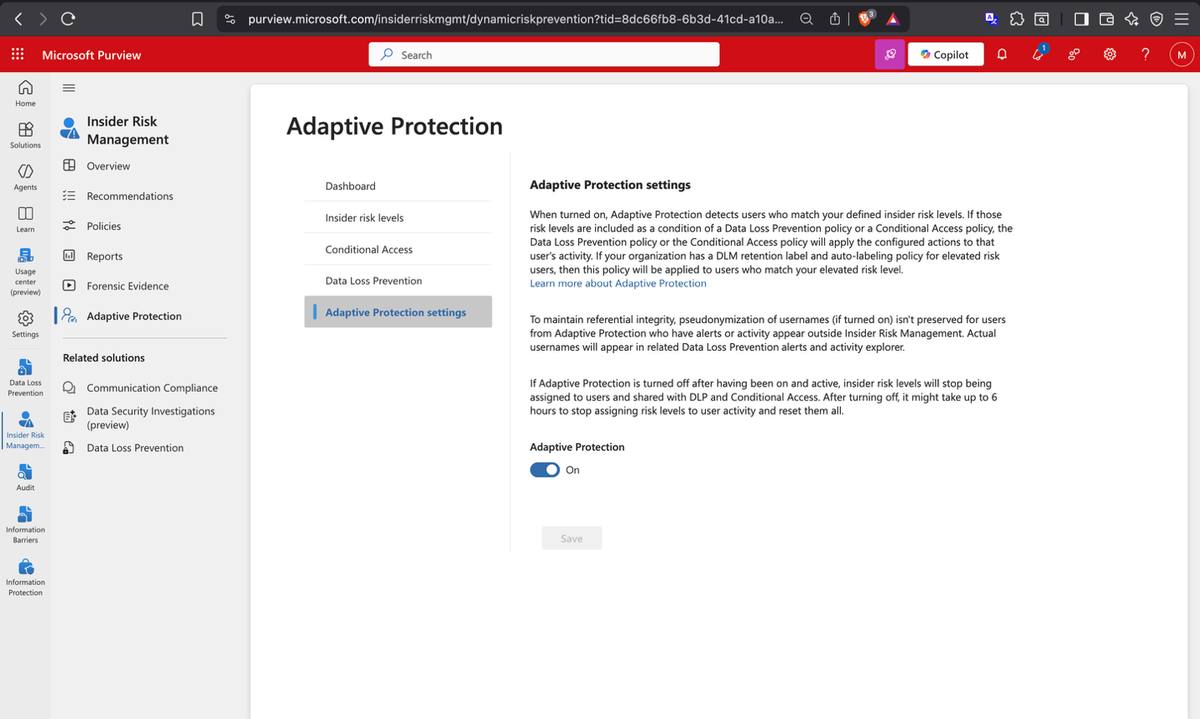
Beyond perimeter security, Insider Risk Management was configured in Microsoft Purview to model internal data leak detection. A Data Leaks quick policy was deployed for lab users, with DLP policies integrated as policy indicators. Adaptive Protection evidence was captured to show how risk-based controls can be staged and reviewed.
Insider Risk Management — data leak policy healthy, all active users in scopeData leaks quick policy — policy settings and user coverage confirmed
Adaptive Protection enabled — DLP and Conditional Access dynamically applied by risk level
Microsoft Secure Score Baseline
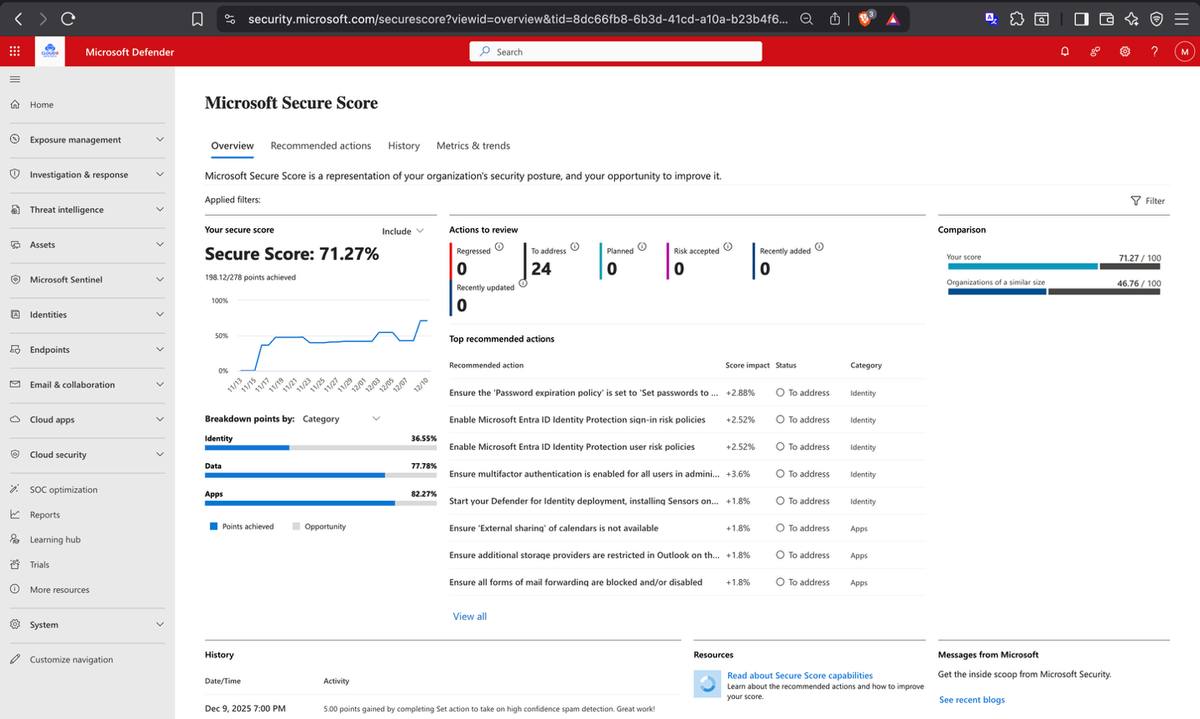
The Microsoft Secure Score dashboard was reviewed to assess TechSolutions' overall security posture post-configuration. The score reflected the protections deployed across identity, data, and collaboration layers — with recommended improvement actions flagged for ongoing hardening.
Microsoft Secure Score — security posture dashboard for TechSolutions tenant
Phase 03
Collaboration & Governance — Building the Workspace
Productivity without structure creates chaos. Phase 03 stood up the full collaboration infrastructure — department SharePoint sites, controlled document libraries, OneDrive data governance, and Viva Engage for internal communications — each configured with the right permissions and retention rules to keep data both accessible and protected.
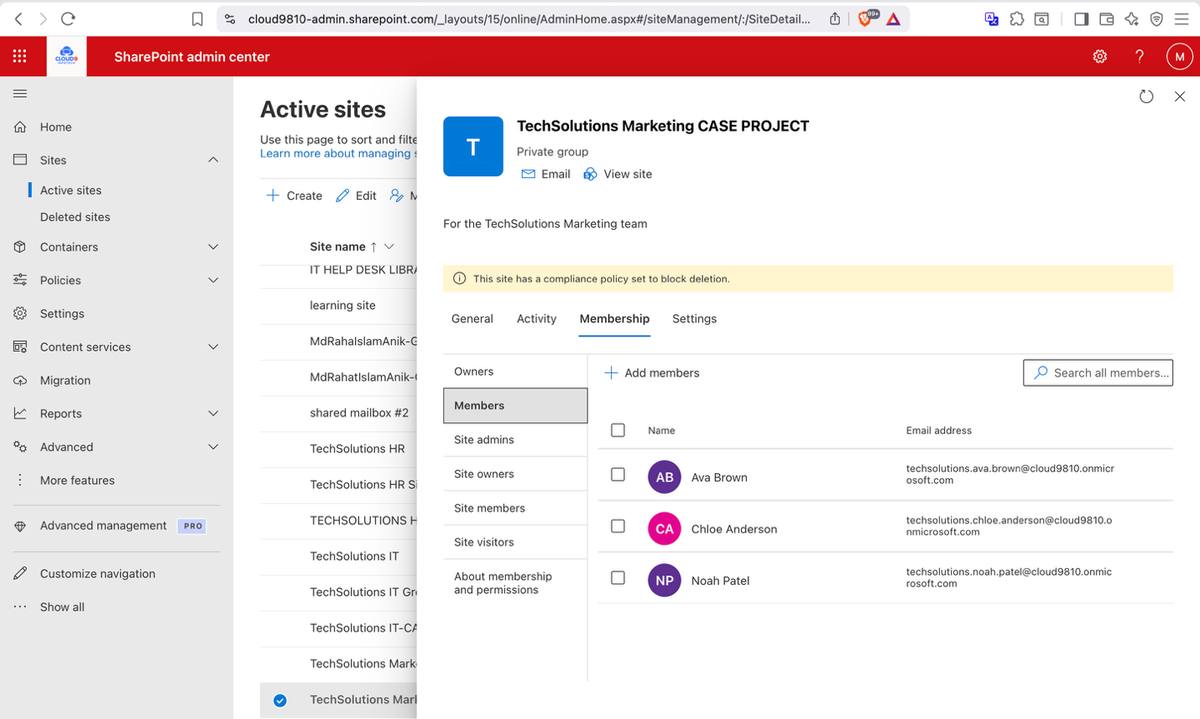
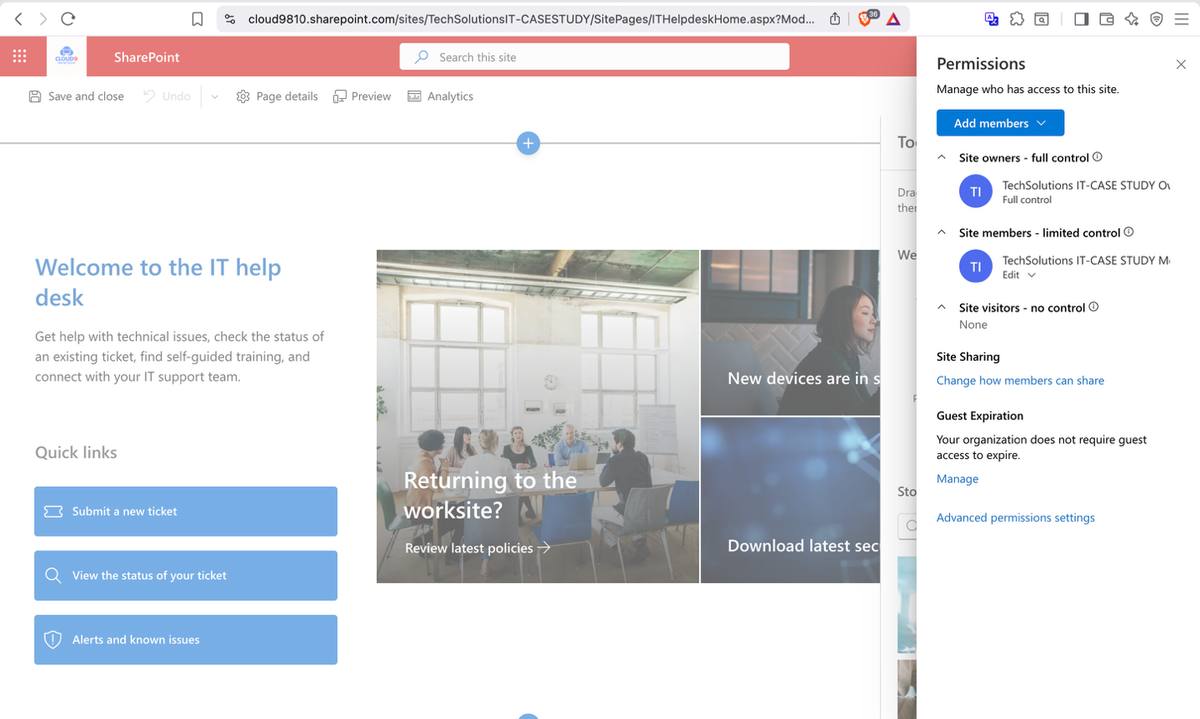
Three dedicated SharePoint team sites were created — TechSolutions IT, TechSolutions HR, and TechSolutions Marketing. Each site was provisioned with its own permission structure: Site Owners receive Full Control, Members receive Edit access, and external sharing is locked down. The HR site has the strictest access — only HR members are permitted, with an Access Denied response verified for unauthorized users attempting to browse.
TechSolutions IT SharePoint site — site home with permissions panelTechSolutions HR SharePoint site — Full Control for Owners, Edit for Members onlyTechSolutions Marketing site — departmental members and permission tiers
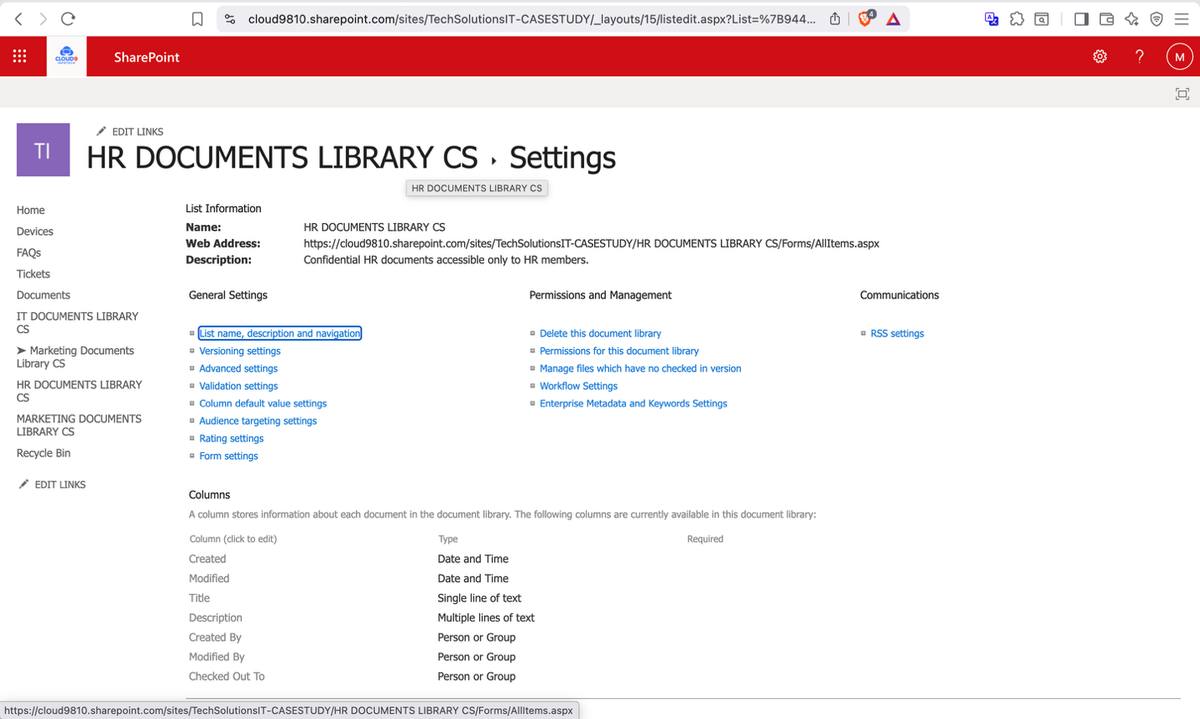
A dedicated HR Documents Library was created on the HR SharePoint site with two critical governance controls enabled: document versioning (preserving the full edit history of every HR document) and content approval (requiring HR owners to approve any new or modified document before it becomes visible to members). Draft item security was also configured to restrict draft visibility to authors and approvers only.
OneDrive for Business — External Sharing Restriction & Retention
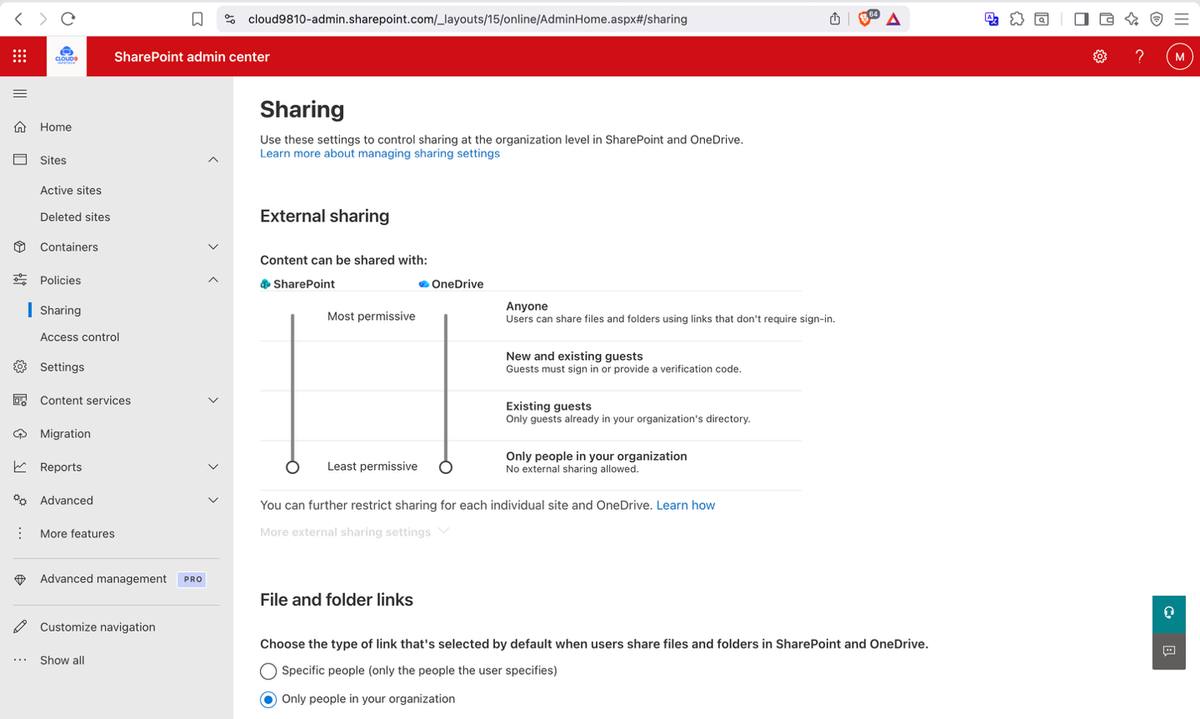
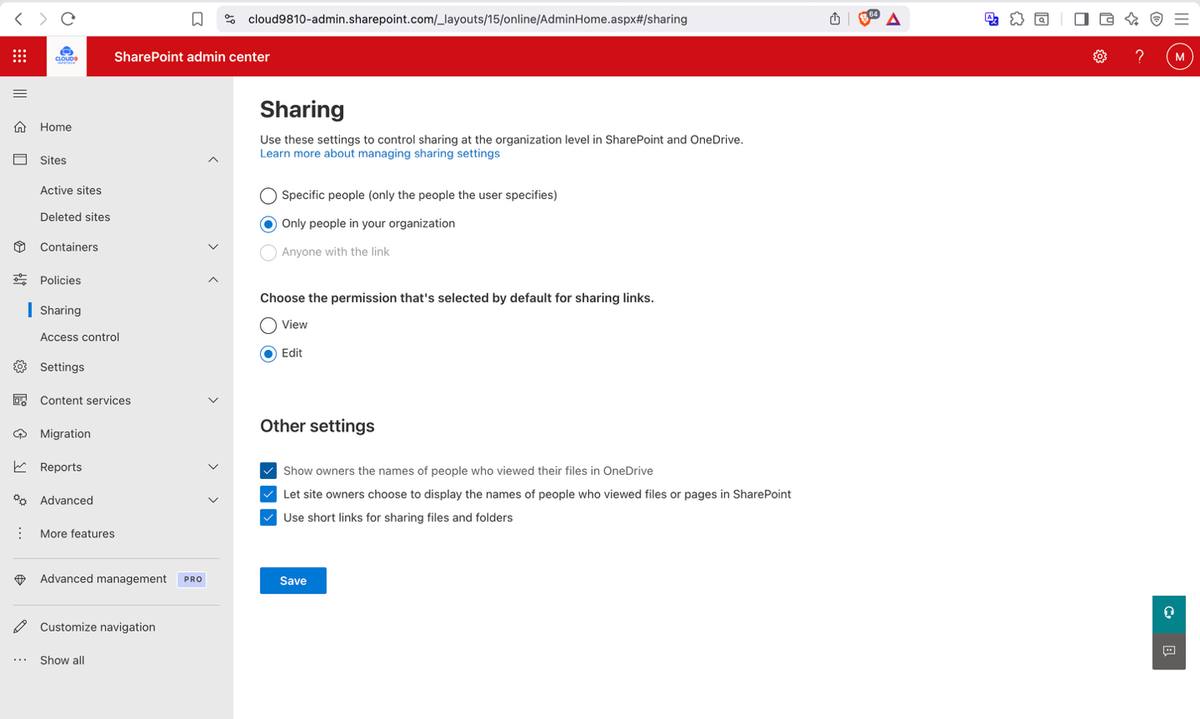
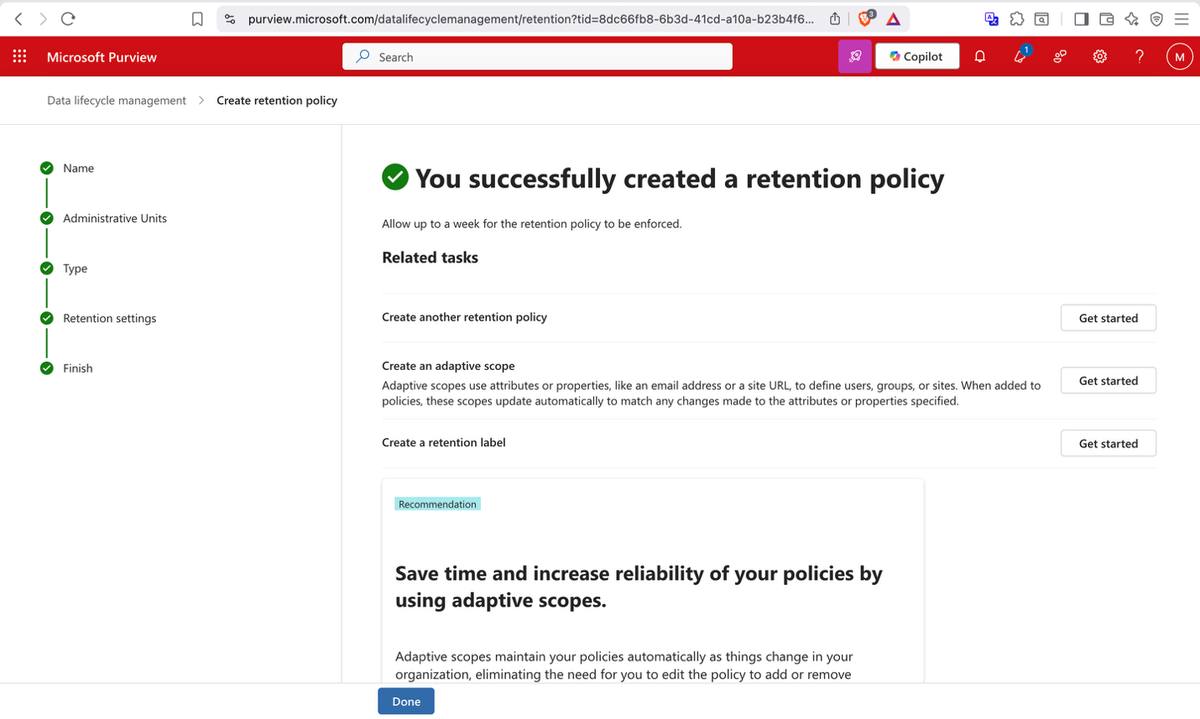
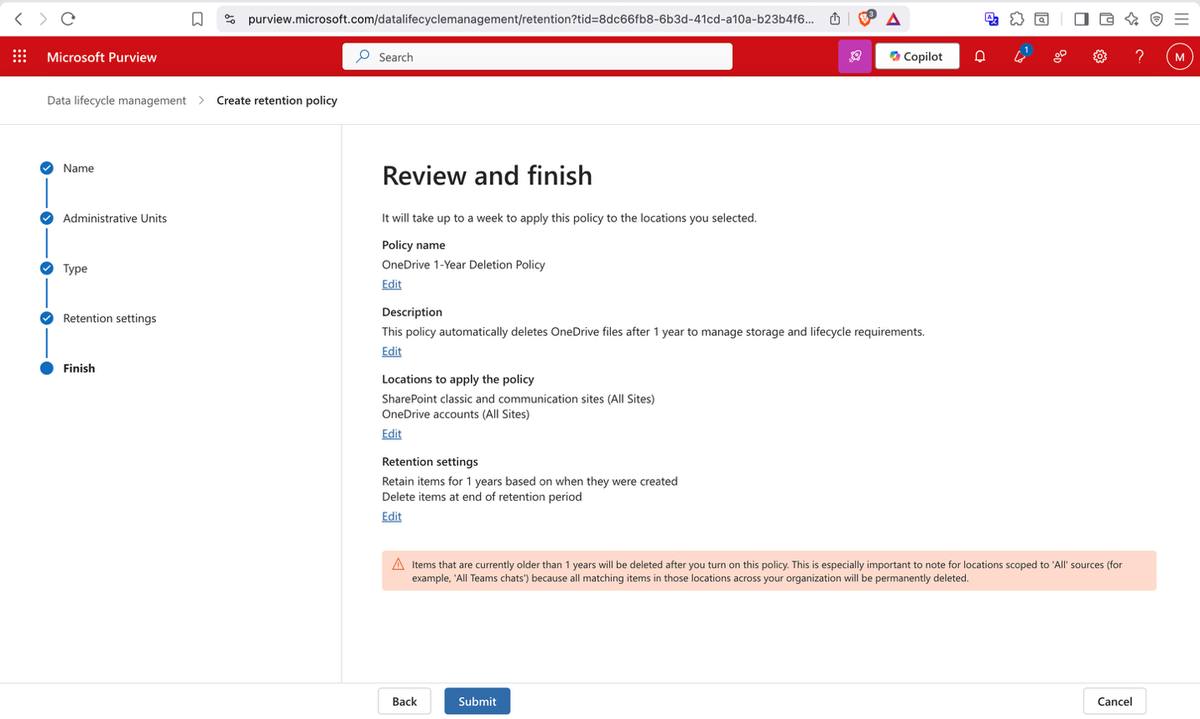
Organization-wide OneDrive external sharing was locked to "Only people in your organization" — preventing any file from being shared outside the tenant without admin authorization. Two retention policies were then applied: a 5-year retention policy for all OneDrive files (meeting long-term compliance requirements) and a 1-year deletion policy to automatically move stale files to Recycle Bin after 12 months of inactivity.
OneDrive external sharing policy — restricted to organization-only, no external accessOneDrive 5-year retention policy — created and confirmed active in Purview
Viva Engage — Internal-Only Communities
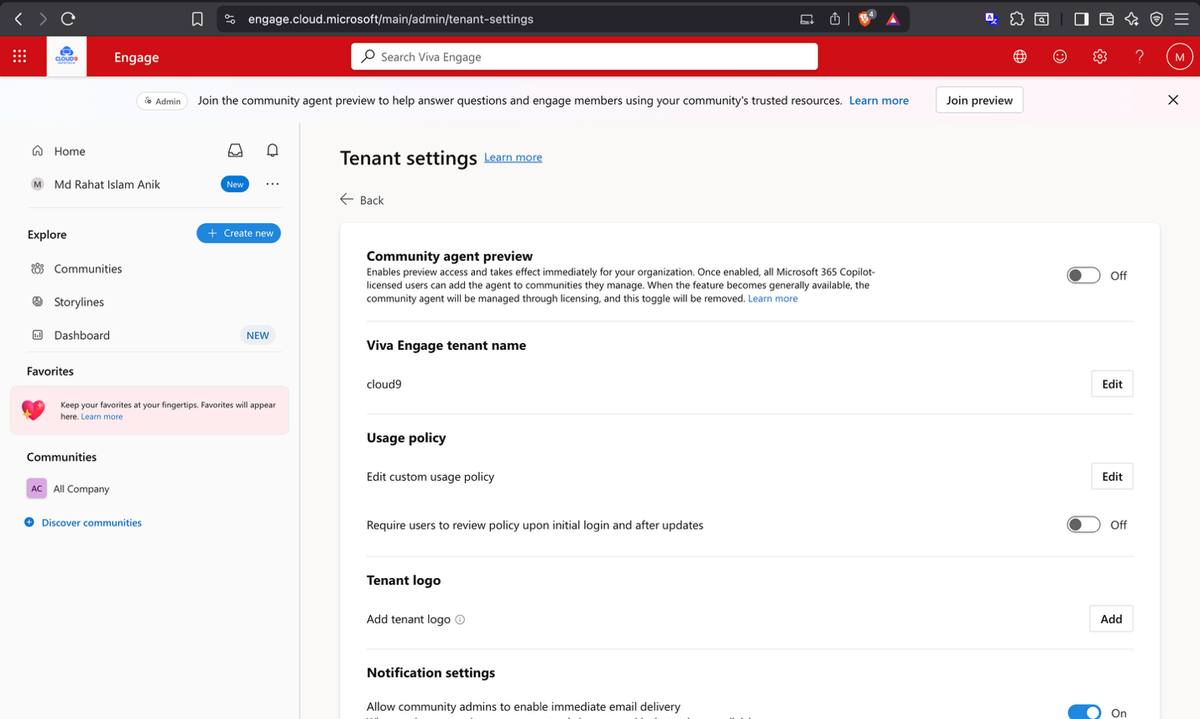
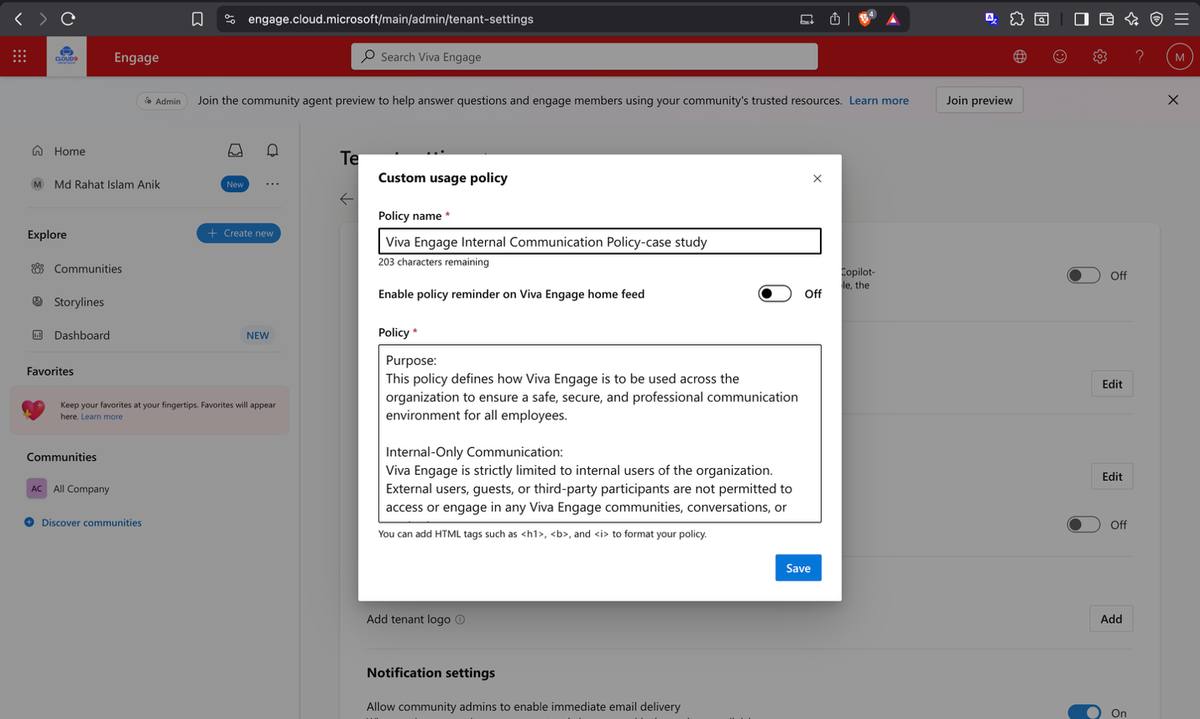
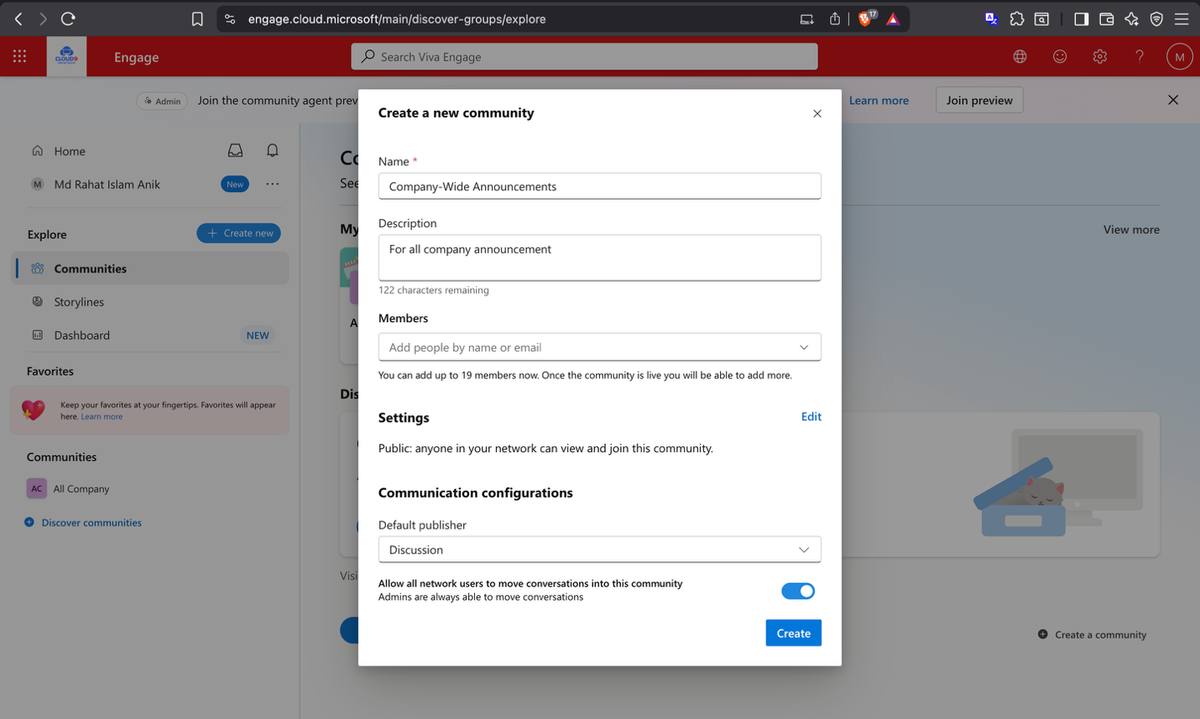
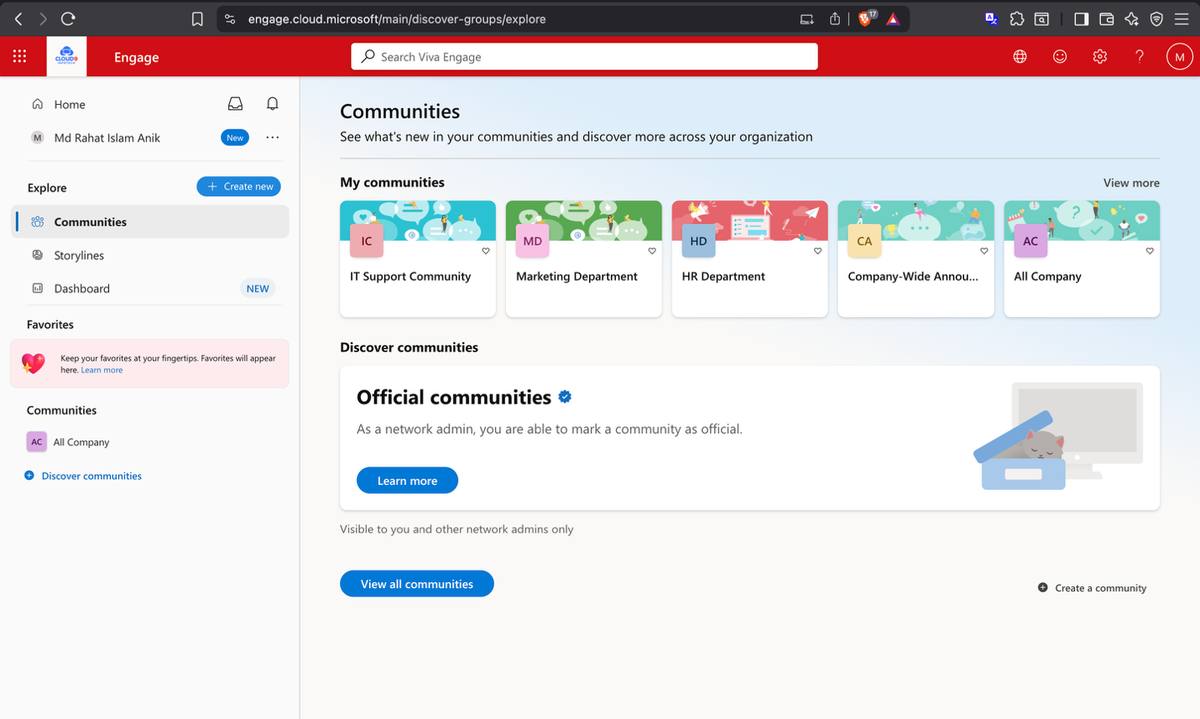
Viva Engage was configured as TechSolutions' enterprise social network with a strict internal-only usage policy — all Viva Engage activity is restricted to authenticated tenant users only. Four communities were created: Company-Wide Announcements (all-staff), and dedicated communities for IT, HR, and Marketing. The internal-only policy was saved and verified with the "Changes saved" confirmation banner.
All four Viva Engage communities — Company-Wide, IT, HR, and Marketing visible under My Communities
Phase 04
Monitoring & Automation — Keeping the Lights On
A deployed environment without visibility is a liability. Phase 04 instrumented the entire TechSolutions tenant — audit logging, custom alert policies, service health monitoring, and automated monthly reporting via Power Automate — so IT administrators can see everything that matters without having to look for it.
04
Monitoring & Automation
Audit Logs · Alert Policies · Service Health · Power Automate
Audit Logging — Custom Search in Microsoft Purview
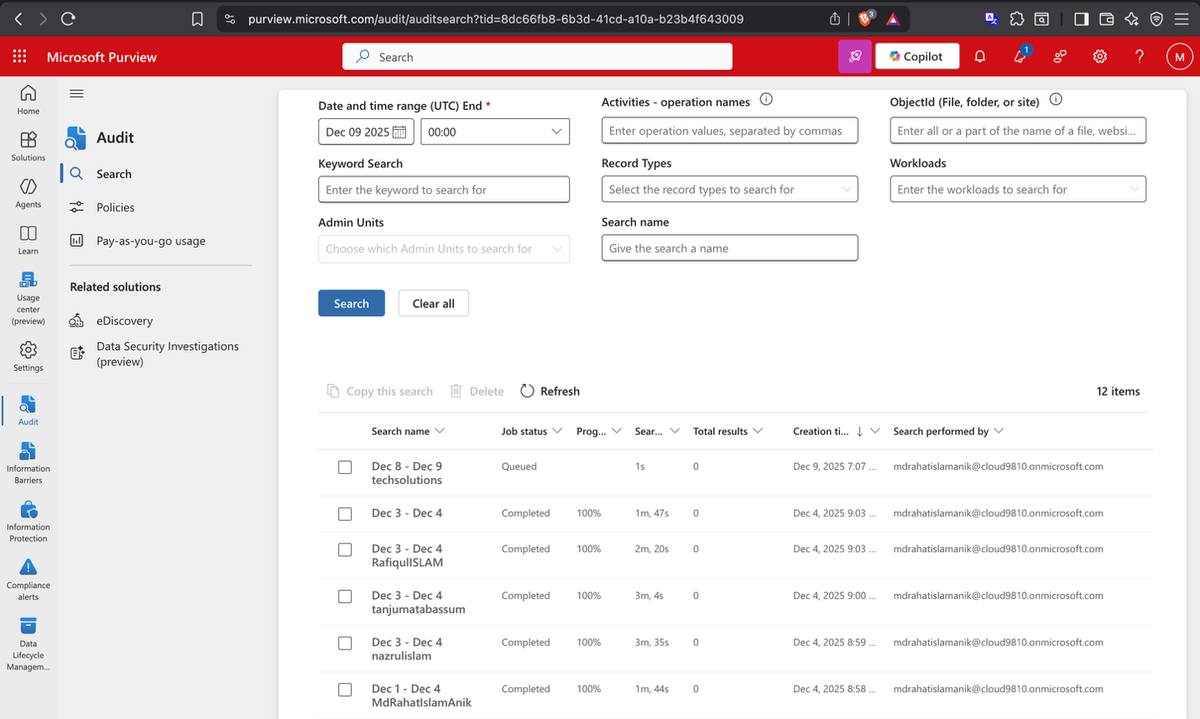
Audit logging was enabled across the tenant and a custom audit log search was configured to track SharePoint file activity — file access, uploads, edits, and deletions — for a specific user within a defined date range. This gives IT administrators the ability to reconstruct any user action in SharePoint and meet the forensic requirements of a compliance investigation.
Microsoft Purview — custom audit log search configured for SharePoint file activityAudit search results — file activity records returned for compliance review
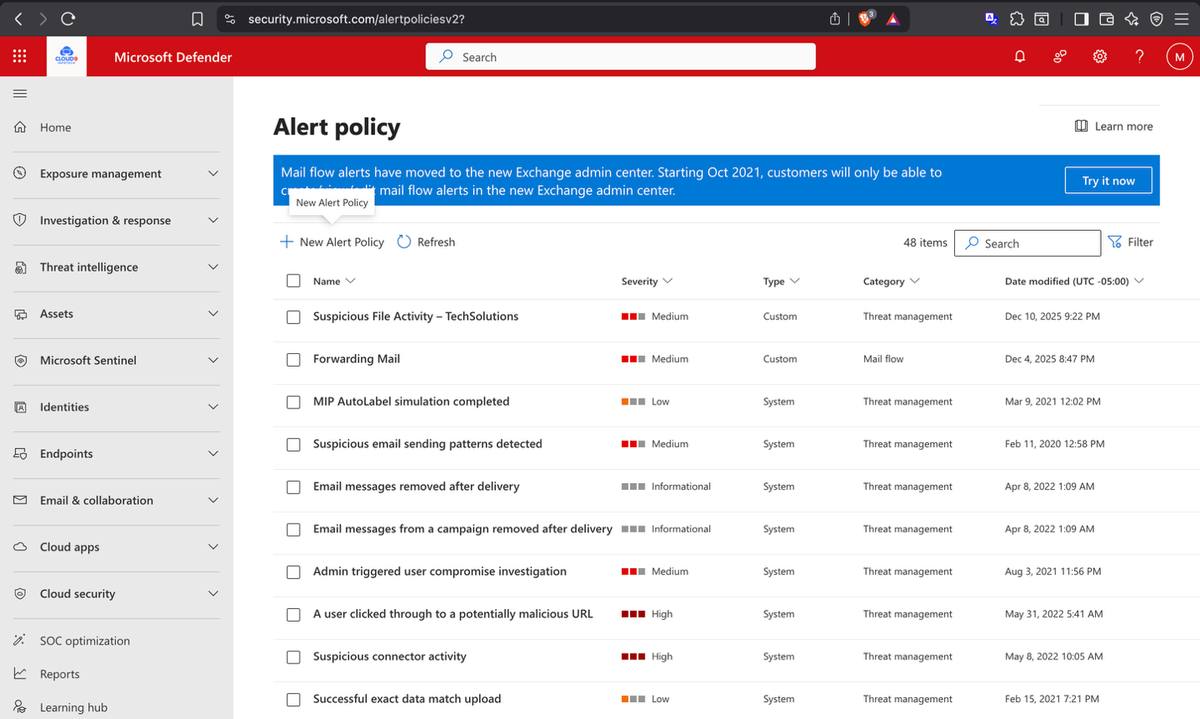
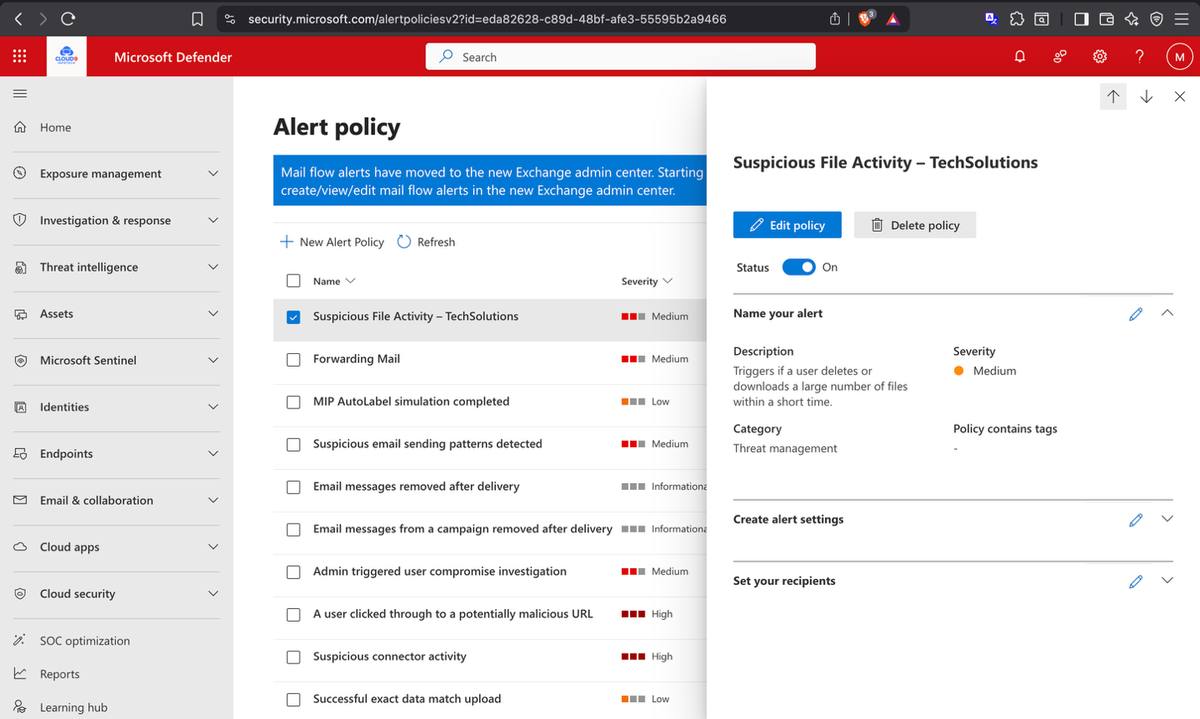
A Suspicious File Activity alert policy was created to notify administrators when anomalous file access patterns are detected — mass downloads, bulk deletions, or unusual access volumes. Separate DLP breach notifications were configured to fire whenever a DLP policy match occurs. Alert severity, threshold, and recipient list were all configured and the policy confirmed active.
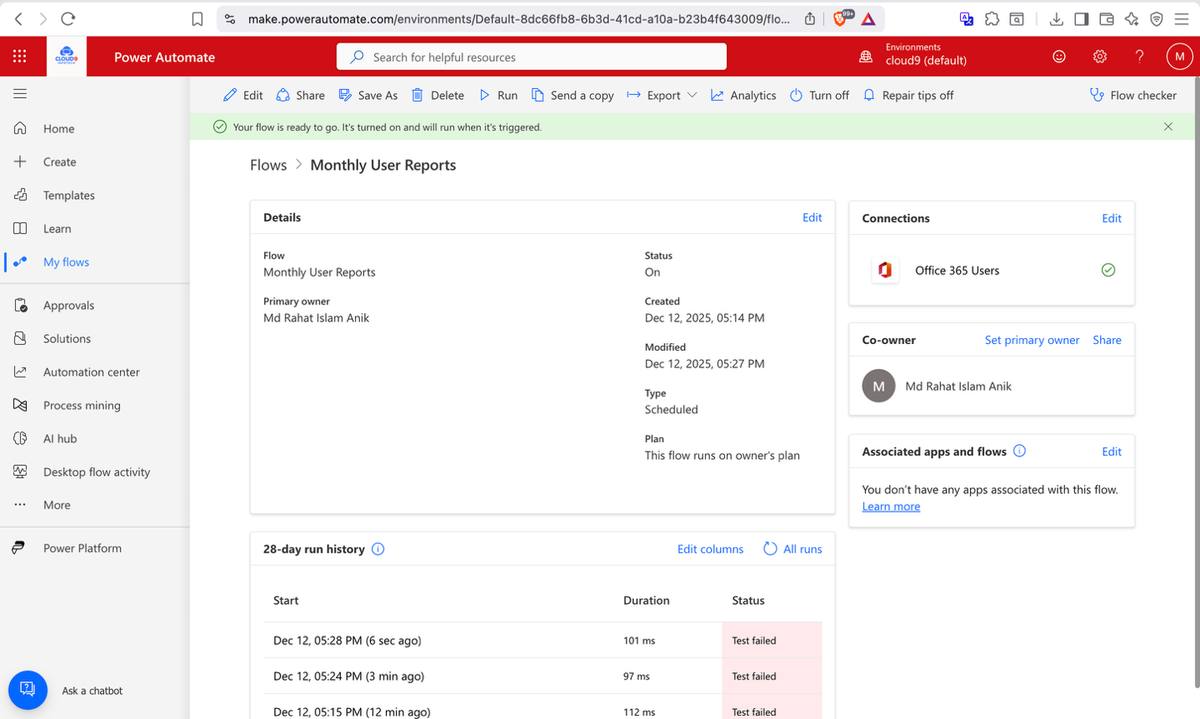
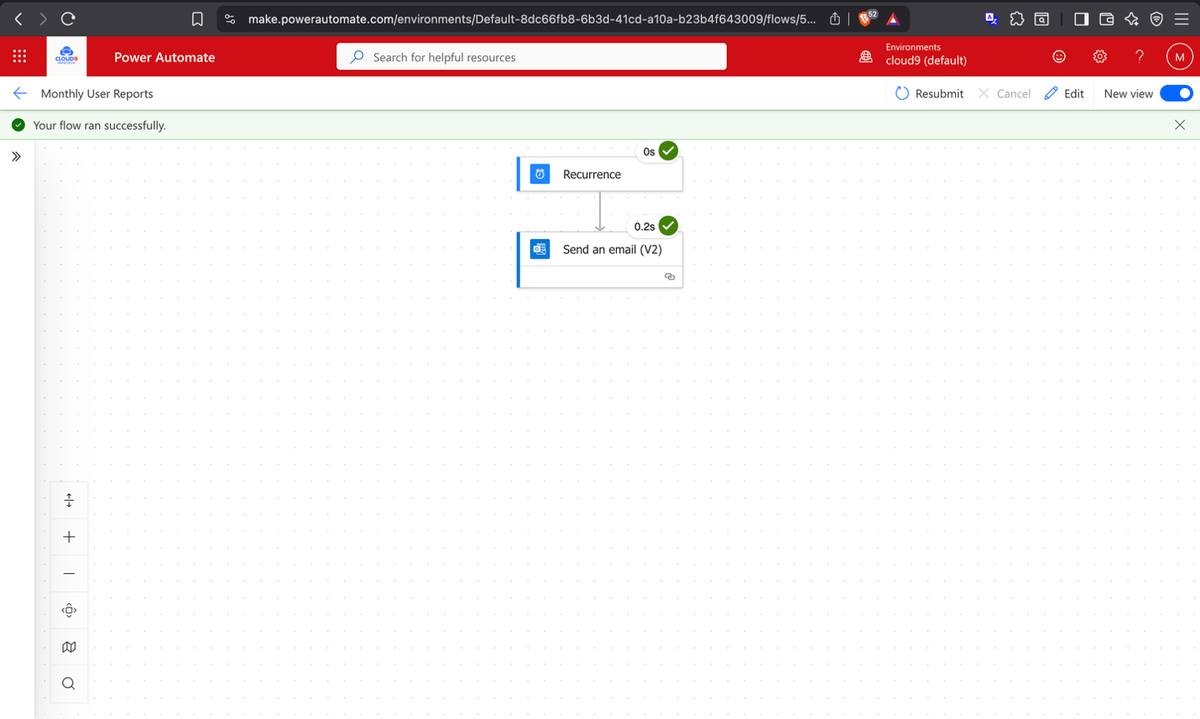
A scheduled Power Automate cloud flow was built to generate and deliver monthly Microsoft 365 usage reports to IT administrators and department heads. The flow runs on a monthly recurrence, retrieves recent Microsoft 365 activity data, formats the data as CSV, and emails it to the distribution list. The flow was tested and confirmed active in the lab tenant.
Power Automate — Monthly User Reports flow details and run schedulePower Automate — flow confirmed active and running on schedule
Service Health Monitoring
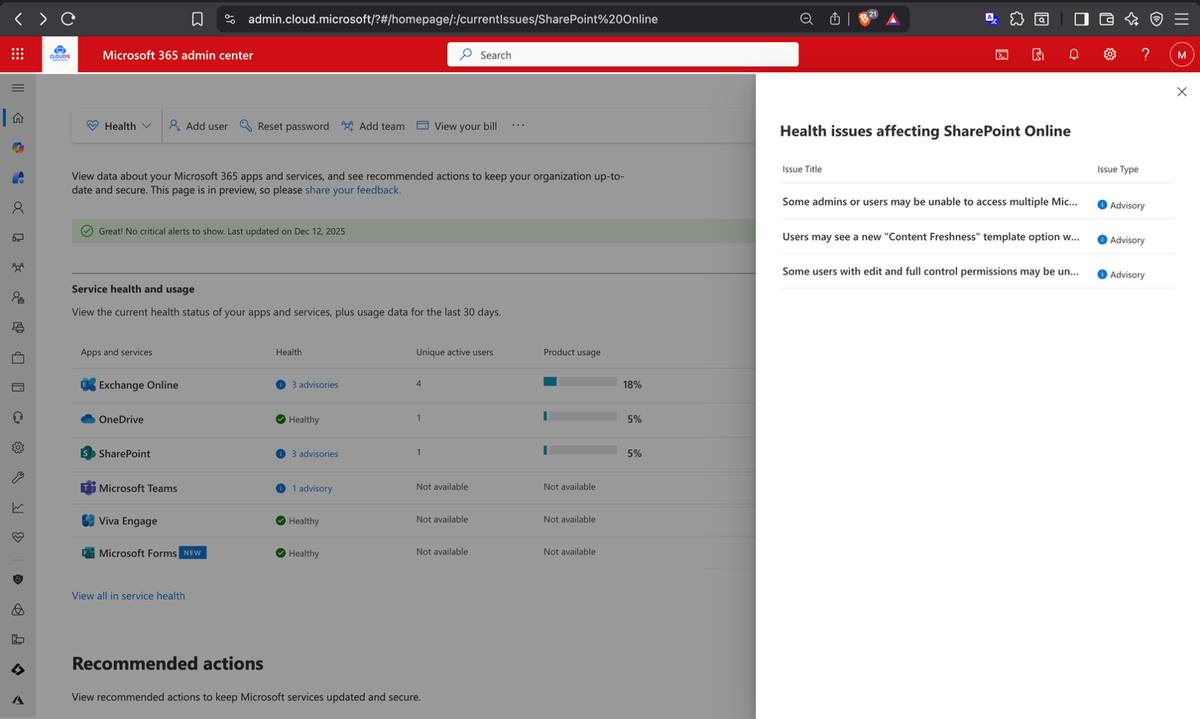
Service Health email alerts were enabled to automatically notify administrators of any Microsoft 365 service incidents, advisories, or degradations. The Service Health dashboard was reviewed — Exchange Online, OneDrive, SharePoint, Teams, and Viva Engage all confirmed healthy. IT department team members were added as additional notification recipients alongside the global admin, ensuring no incident goes unnoticed.
M365 Admin Center — Service Health dashboard showing all services operational
Final Secure Score Review
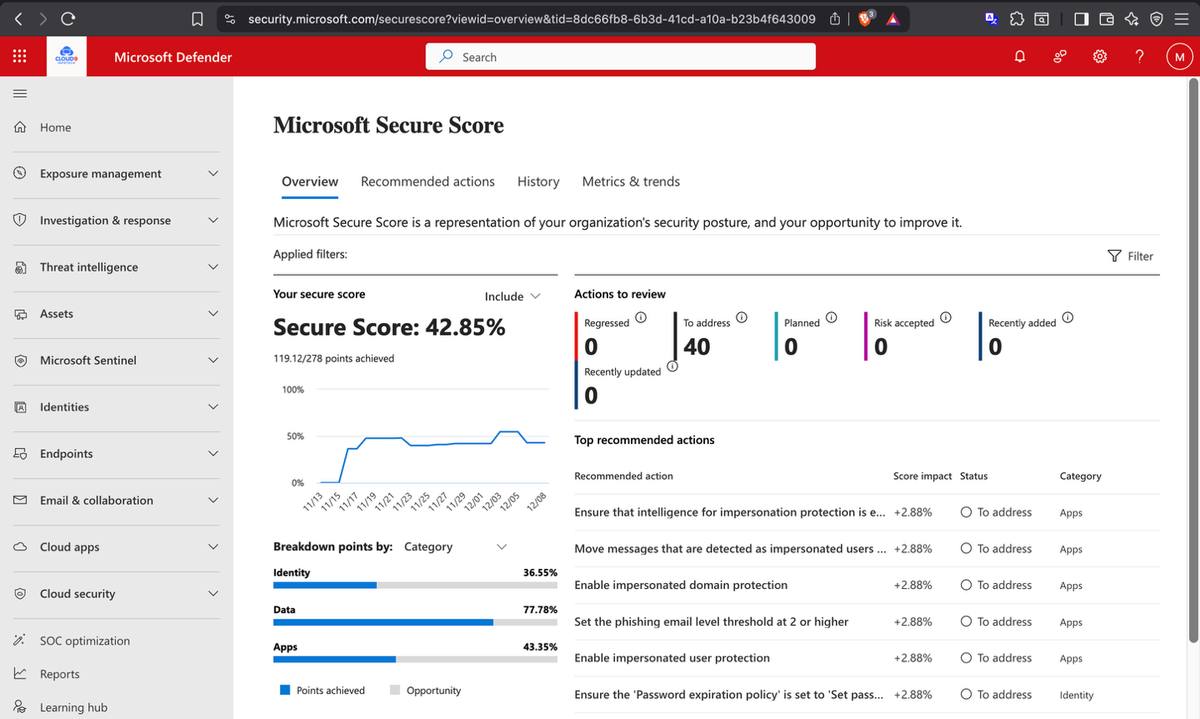
With all four phases complete, the Microsoft Secure Score dashboard was reviewed as a final validation checkpoint. The score provided a baseline view of the lab tenant's security posture and highlighted additional hardening actions for future improvement.
Microsoft Secure Score — final posture review after full deployment completion
What's Next
Phase 05 — Information Protection Roadmap
The foundation is in place. These roadmap items are logical next steps for expanding the lab into a more complete information protection and endpoint management case study.
🏷️
Sensitivity Labels
Apply Public, Internal, Confidential, and Highly Confidential labels across documents and emails. Auto-labelling policies to classify HR and financial data without user action.
🔐
Microsoft Entra PIM
Privileged Identity Management for just-in-time admin role activation, approval workflows, and safer privileged access operations.
📱
Intune Device Management
Enroll TechSolutions endpoints into Microsoft Intune. Deploy compliance policies, app protection policies, and Defender for Endpoint across all managed devices.
Skills Demonstrated
What this deployment proves
Identity & Access
Bulk user onboarding, M365 Groups, RBAC, SharePoint permission tiers, Entra ID
Data leaks policy, Adaptive Protection, Conditional Access integration, risk-based controls
Collaboration Tools
SharePoint Online, OneDrive governance, Viva Engage communities, Microsoft Teams
Automation
Power Automate scheduled flows and usage reporting workflow design
Monitoring
Custom audit searches, alert policies, service health monitoring, Secure Score tracking
Takeaway
Live lab evidence. Clear administrator story.
This case study documents a Microsoft 365 lab tenant configured by one administrator to model identity, collaboration, security, compliance, monitoring, and reporting workflows for a 300-employee organization.
 Microsoft 365 · Lab Tenant Case Study · Self-Directed · 2025